¶ Members and Roles
Your member list is yours to control. You can invite players, approve the players who ask to join, share the work with an admin, and remove anyone who should no longer be there.
📋 At a glance
What it is: The member list of your club, with a role for every person.
Who it is for: Club owners and club administrators.
You will need: Owner or admin access to a club.
¶ Overview
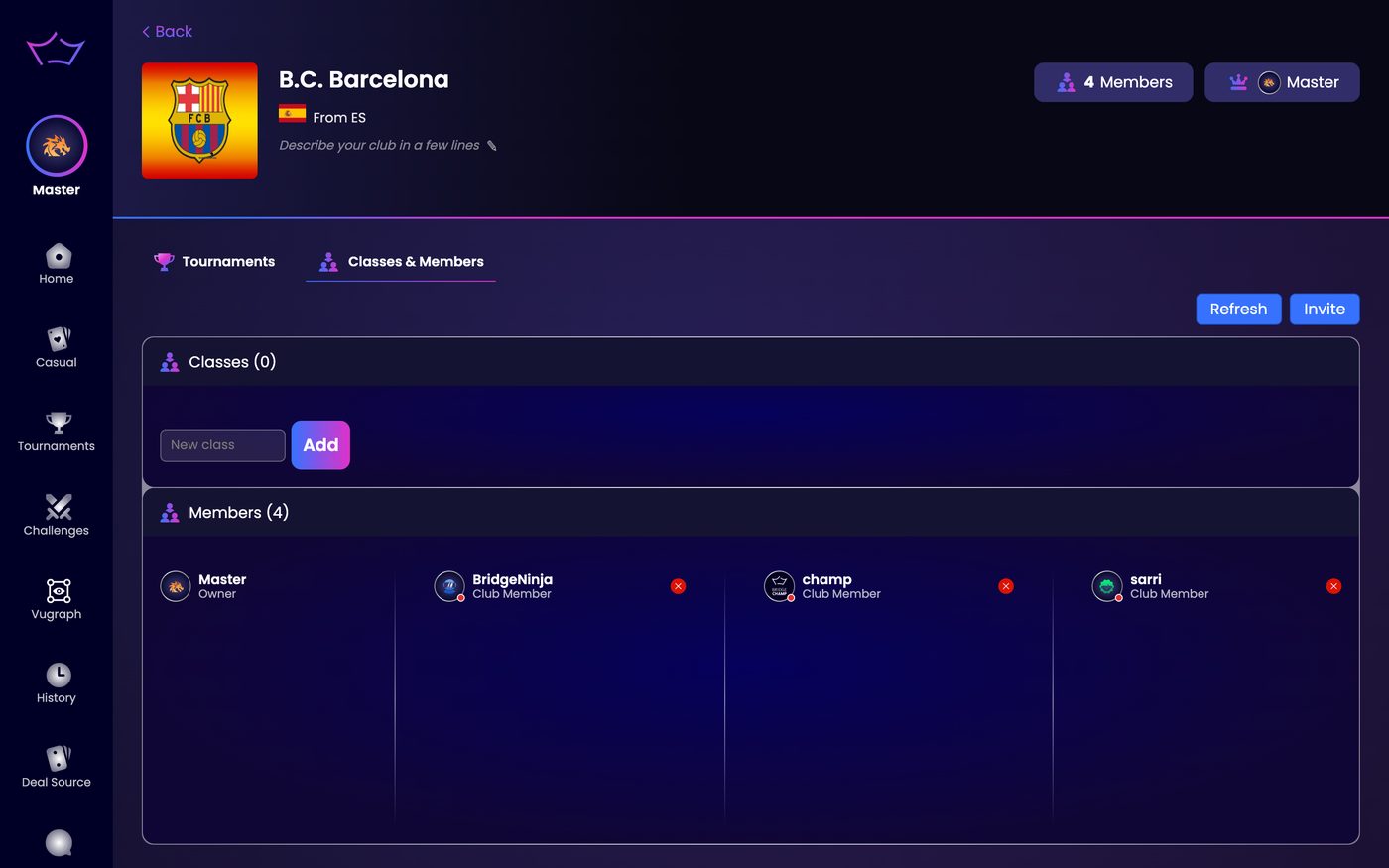
Open your club and go to the Classes & Members tab. The Members section lists everyone in the club with their role underneath their name. To remove someone, click the red cross on their card.
¶ How to invite a player
¶ Step 1: Click Invite
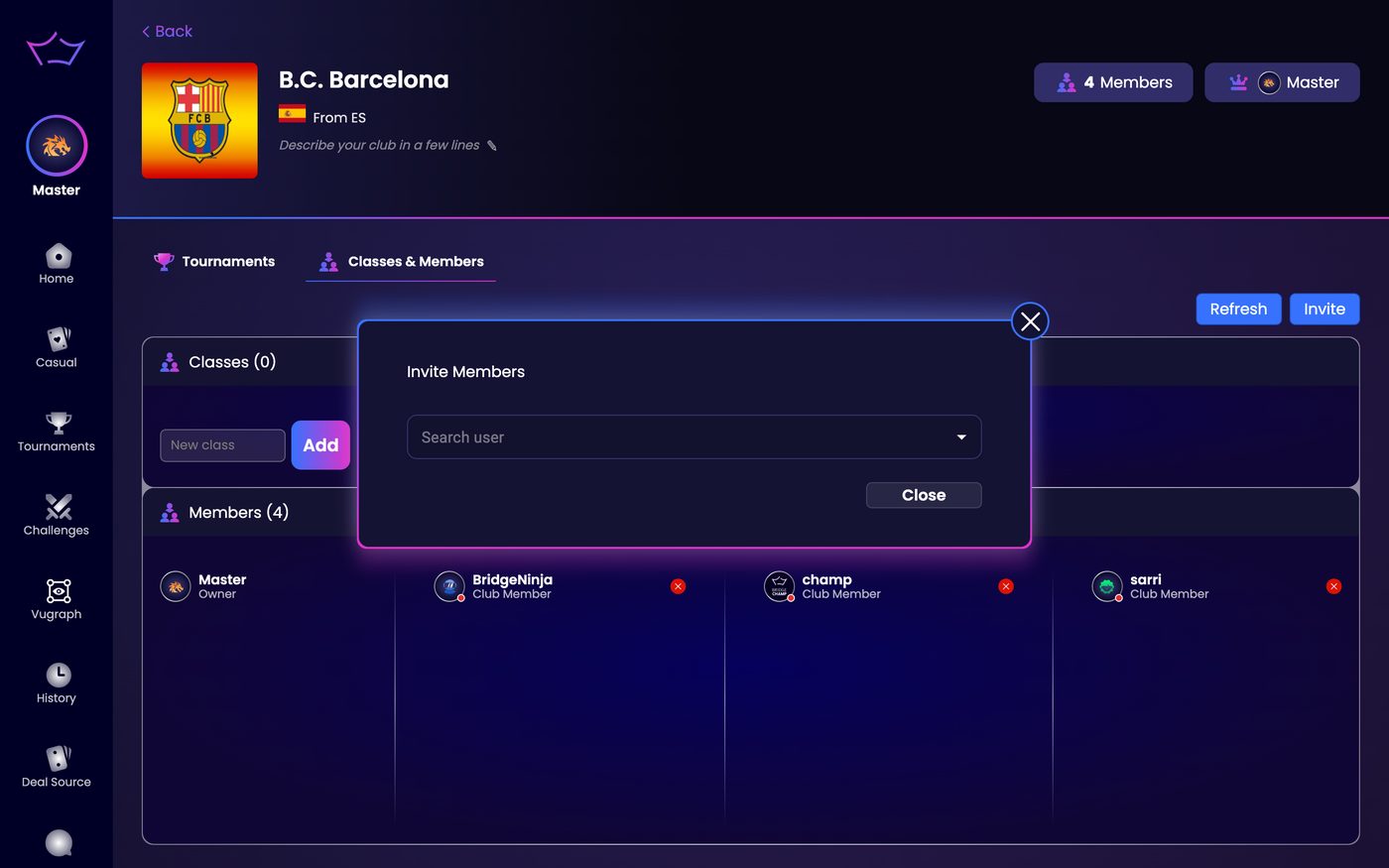
In the Classes & Members tab, click Invite in the top right. The Invite Members window opens.
¶ Step 2: Search for the player
Type the player's username into the Search user field.
¶ Step 3: Send the invitation
Select the player from the results to send the invitation. They join the club once they accept it.
¶ Roles
Every member has a role:
- Owner: you. You control everything in the club and you carry the crown.
- Admin: a member you promote. An admin receives most of the owner's privileges, so they can invite players, manage classes and run events for you.
- Club Member: everyone else.
Promoting an admin is worth doing early. It means someone else can approve a join request or open a tournament while you are away.
¶ Join requests
Players can also ask to join your club. Their requests go to the owner and the admins, who can approve or reject each one. So you have two ways to grow the club: invite players yourself, or approve the players who ask.
¶ Who is actually playing
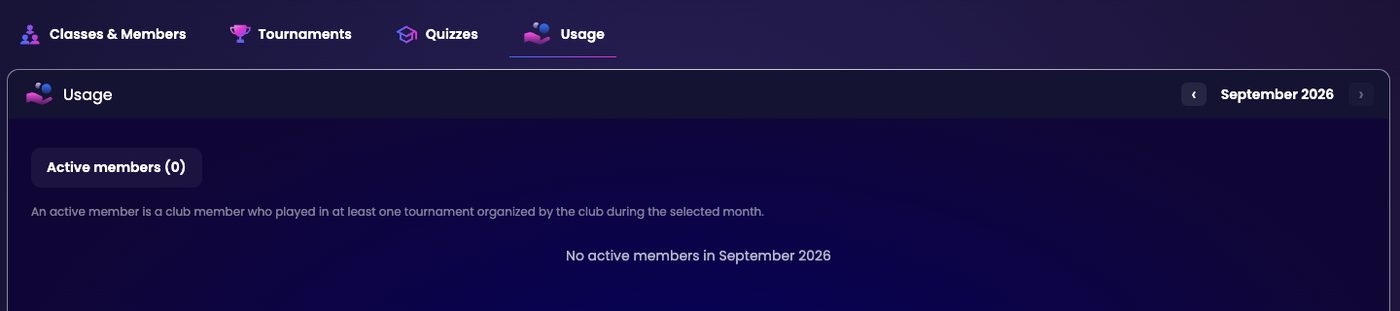
The Usage tab is the last tab of your club, and only the owner sees it. It answers one question: which of your members actually turned up this month.
Step through the months with the arrows either side of the month name. Bridge Champ counts an active member the way it explains on the page: An active member is a club member who played in at least one tournament organized by the club during the selected month.
So it counts playing, not joining. A member who signed up two years ago and played last week is active. A member who joined yesterday and has not played is not.
¶ ACBL members in your club
Club managers can import the ACBL membership file, and export tournament results in the ACBL's USEBIO format, including stratification and player masterpoint data. ACBL membership data is refreshed automatically every day. To export a tournament in USEBIO, open its results, click Export and choose USEBIO (see Game Results). Players who signed in with ACBL carry an official badge on their profile; see ACBL Masterpoints on Bridge Champ.
¶ Notifications
Push notifications for club invitations and for requests to join your club now say what they are about, so a member knows at a glance whether it is an invitation or a request to approve.
¶ Related guides
- Classes: group your members into named classes
- Bidding Quizzes: set bidding problems for your members
- Club Timeline: tell your members what is coming
- For Clubs: all club guides

Questions about your club? Write to us at info@bridgechamp.com.