¶ Club Timeline
The club timeline is where your announcements reach your members. It sits on the Home page, next to the platform news.
📋 At a glance
What it is: A news feed for your club, shown on every member's Home page.
Who it is for: Club owners and club administrators who want to tell their members what is coming.
You will need: A club, and something to announce.
¶ Where to find it
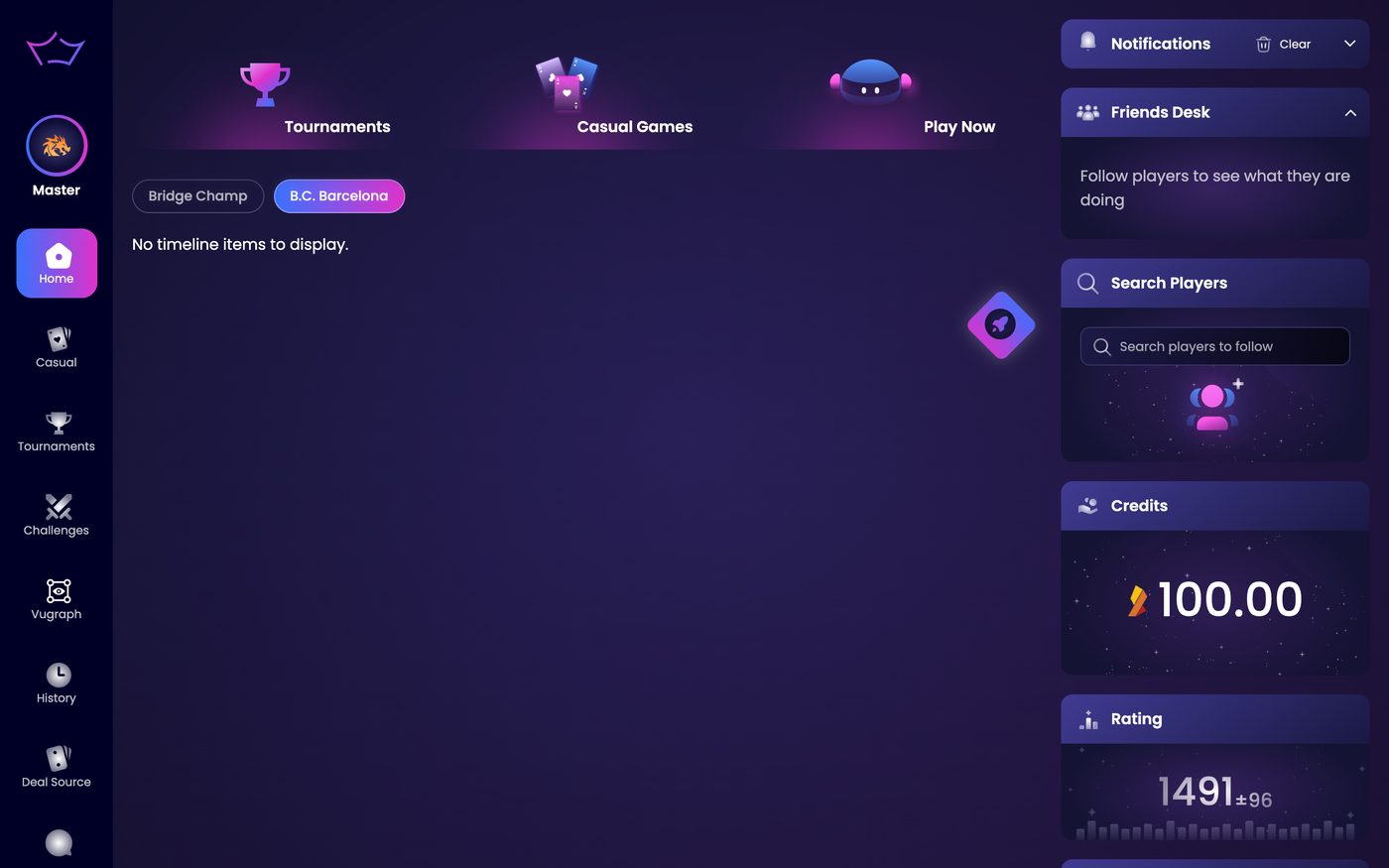
Open Home in the left menu. Near the top of the timeline you see one button per feed:
- Bridge Champ: platform wide news for everyone.
- One button for each club you belong to: that club's own posts.
So the number of buttons follows the number of clubs you are in. If you belong to two clubs you see three buttons: Bridge Champ plus one for each club. Click a club button to switch the timeline to that club.
¶ What to post
This is the place for the things your members would otherwise have to ask you about:
- The next club tournament, and who it is for.
- Results and congratulations after an event.
- Lesson times, holiday breaks, and club news.
¶ Link a post to a tournament
A club post can carry a link to a specific tournament. Add the link to your post, and your members go straight from the timeline to that tournament page. They can read the details and register there, without having to search the tournament list for it.
This is the fastest way to fill a club event: announce it and link it in the same post.
¶ Tournaments and quizzes on the timeline
Club members can open their club's tournaments and quizzes directly from the timeline. A post can link a specific tournament, and the club page shows how many tournaments and quizzes are waiting for you.
¶ The Timeline tab on the club page
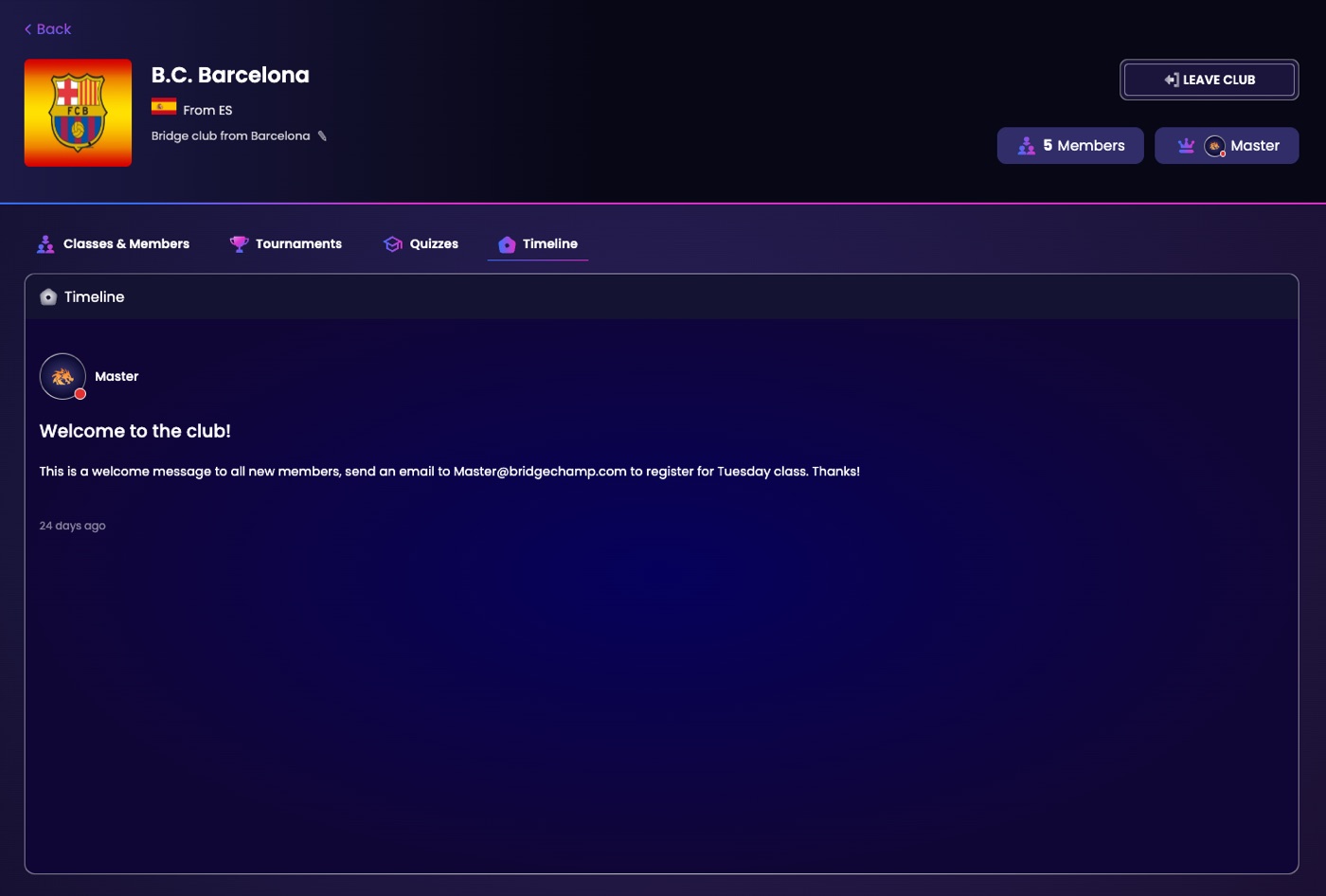
Your club page has its own Timeline tab, next to Classes & Members, Tournaments and Quizzes. It shows the club's posts on their own, without the platform news, and a Load more button at the bottom brings up older posts. Each club you belong to also shows how many new posts you have not read yet, so you can see at a glance when there is something to catch up on. Open it from Clubs in the left menu, then your club.
¶ Related guides
- Club Tournaments: create the event you are announcing
- Members and Roles: make sure the right people see it
- For Clubs: all club guides

Questions about your club? Write to us at info@bridgechamp.com.