¶ Classes
Classes let you group members inside your club. For example a beginners group, or a Tuesday lesson. Once your members are grouped you can reserve a tournament for one class in a single step.
📋 At a glance
What it is: Named groups of members inside a club.
Who it is for: Club owners, club administrators and teachers with more than one group of students.
You will need: Owner or admin access to a club, and at least one member to place in a class.
¶ Overview
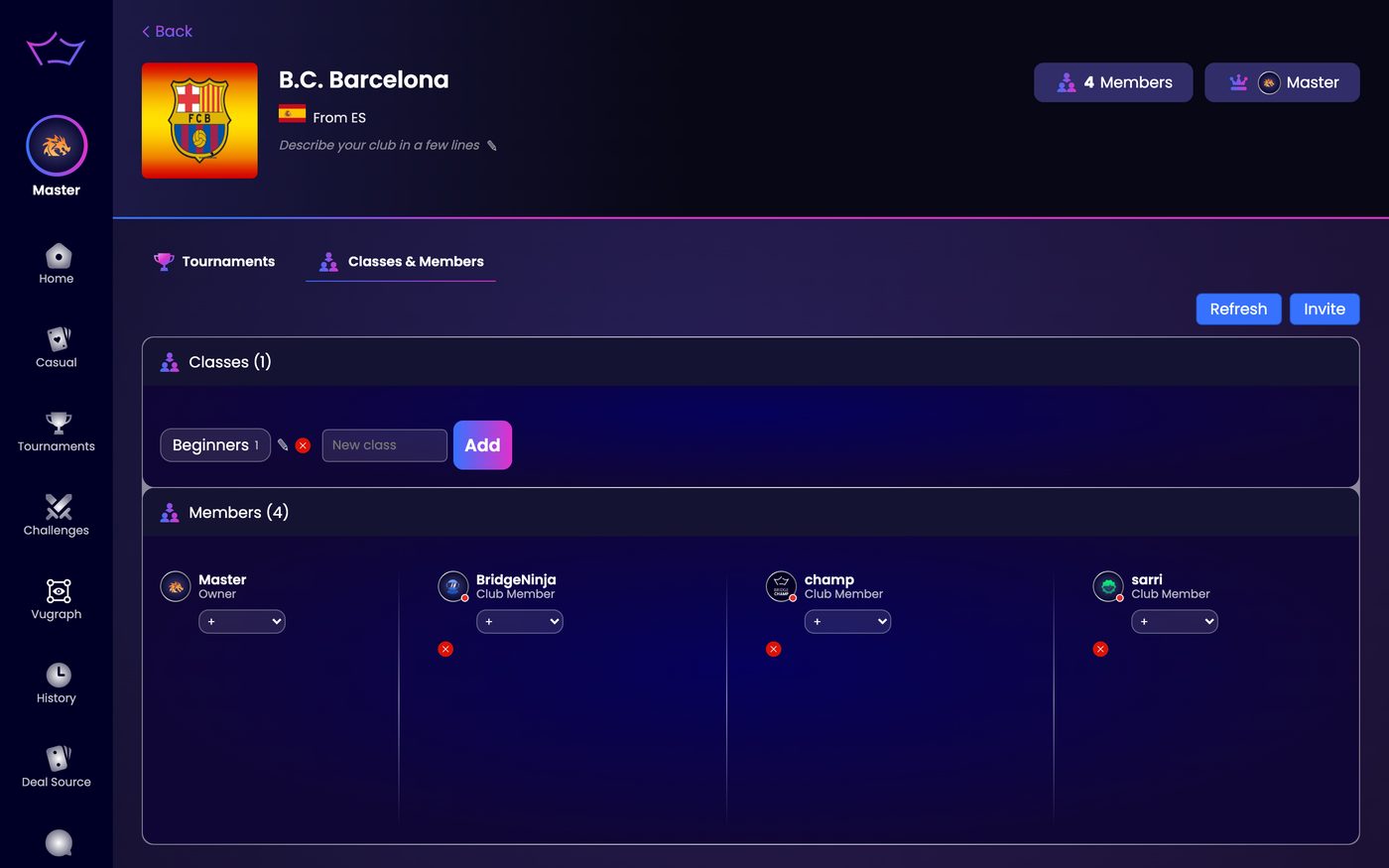
Classes live in the Classes section of the Classes & Members tab, just above the member list. A class is only a name and a list of people, so you can create as many as you need and move members between them as they progress.
¶ How to create a class
¶ Step 1: Type the class name
In the Classes section, type a name into the New class field. Keep it short and clear, for example Beginners or Tuesday Class.
¶ Step 2: Click Add
The class appears as a chip, with a pencil to rename it and a cross to delete it.
¶ Step 3: Add members to the class
Each member now shows a small dropdown on their card. Open it and pick the class to add that member to it.
💡 Good to know: the person who creates a class is also a member of that class, so you are inside your own classes from the start.
¶ What classes are for
- Keep each group together, so a beginners event is not joined by advanced players.
- Point a tournament at exactly the right group with one setting. See Club Tournaments.
- Manage all your students in one place, inside your club.
¶ Related guides
- Club Tournaments: reserve an event for one class
- Teaching Tables: run a live lesson
- For Clubs: all club guides

Questions about your club? Write to us at info@bridgechamp.com.