¶ Recurring Tournaments
A recurring tournament runs again and again without you doing anything. You point Bridge Champ at one tournament you have already made, tell it how often to repeat, and it creates the next one for you.
📋 At a glance
What it is: An automatic copy of one of your tournaments, on a daily, three day or weekly schedule.
Who it is for: Club owners and directors who run the same event over and over.
You will need: The tournament you want to repeat, already created.
¶ Overview
If you run the same event every week, you know the routine: open last week's tournament, duplicate it, change the date, save. A recurring schedule does that for you.
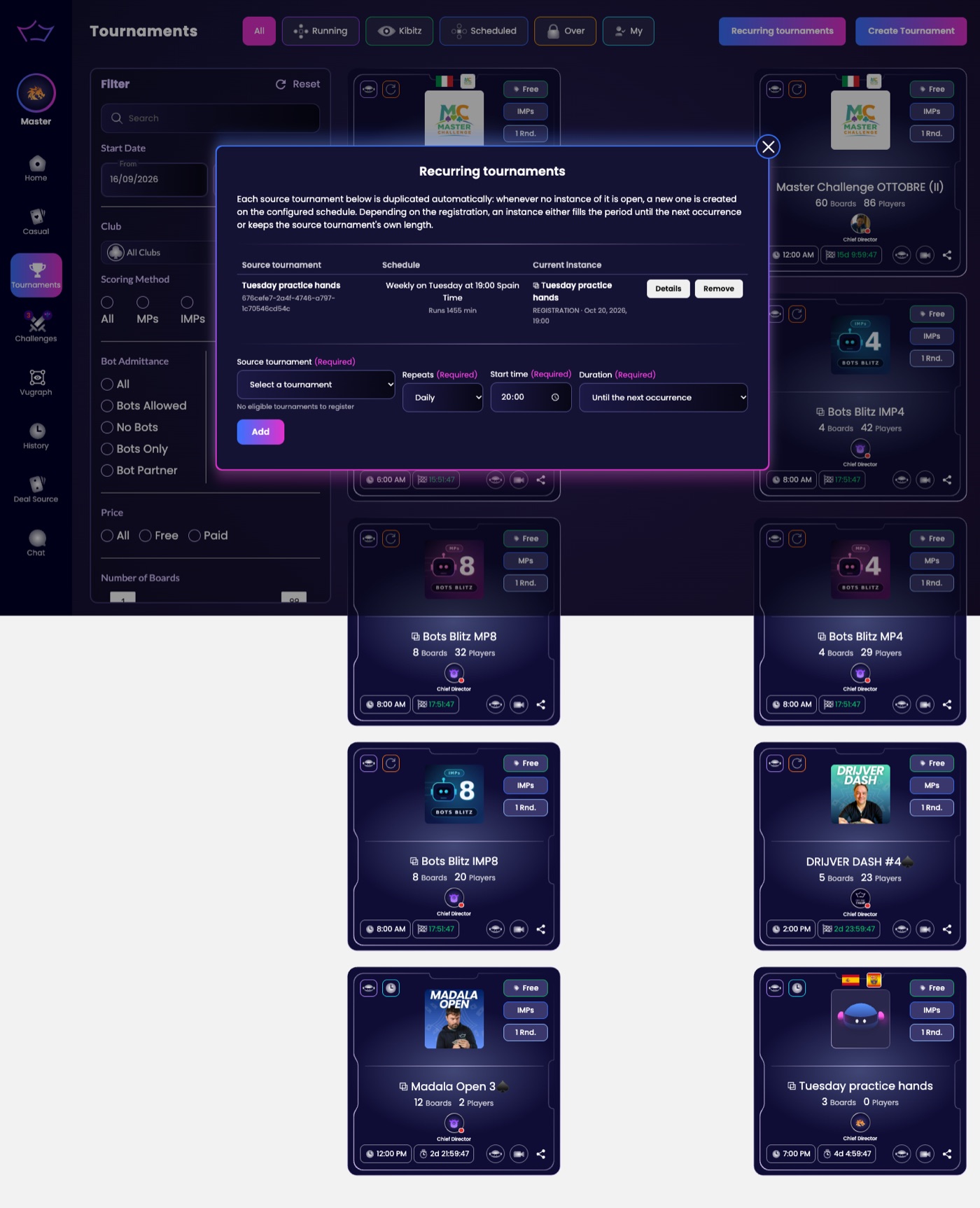
You will find Recurring tournaments on the Tournaments page, to the right of the tabs and next to Create Tournament. It only appears if you are allowed to run events for a club, so if you cannot see it, you do not have that permission yet.

¶ How to set one up
¶ Step 1: Create the tournament you want to repeat
A schedule always copies a tournament that already exists, so make that one first and set it up exactly as you want every future copy to look: the boards, the scoring, the restrictions, all of it. See Create Tournament, or Club Tournaments if it is for your club.
¶ Step 2: Open Recurring tournaments
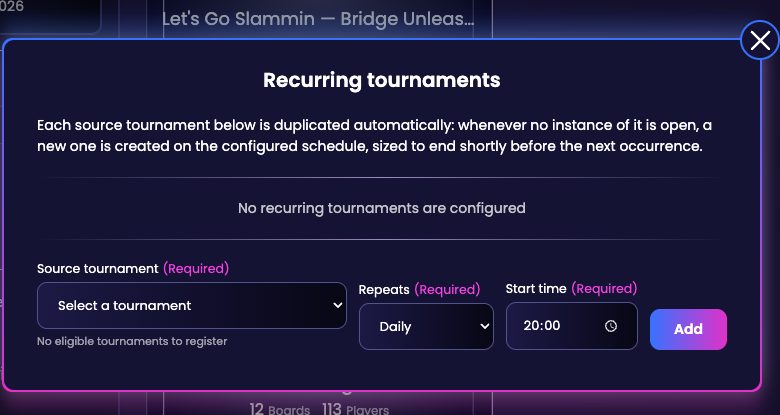
Go to Tournaments in the left menu and click Recurring tournaments. The panel lists every schedule you already have. The first time you open it, it will say No recurring tournaments are configured.
¶ Step 3: Choose the source tournament
Open Source tournament and pick the tournament to copy. This is the one Bridge Champ will recreate for you.
The list only offers your own tournaments. If it says No eligible tournaments to register, there is nothing for it to copy yet: go back to Step 1, create the tournament, then come back here.
¶ Step 4: Choose how often it repeats
Repeats gives you three choices:
- Daily
- Every 3 days
- Weekly, which is the one to pick for a club night: the copy runs on the same weekday every week
¶ Step 5: Set the start time and add it
Start time is the time of day each copy begins. Duration decides how long each copy stays open: Until the next occurrence keeps it available right up to the next copy, Keep the tournament's own length gives every copy the length of the source tournament. Then click Add.
Your schedule now appears in the list at the top of the same panel. All three fields are required, and Bridge Champ will tell you if one is missing.
¶ How the schedule behaves
It is worth understanding the rule, because it is not simply a copy every day at the same time. Bridge Champ explains it at the top of the panel:
Each source tournament below is duplicated automatically: whenever no instance of it is open, a new one is created on the configured schedule. Depending on the registration, an instance either fills the period until the next occurrence or keeps the source tournament's own length.
Two things follow from that. First, a new copy is only made when the previous one has finished, so you never end up with two of the same event running side by side. Second, the Duration choice decides whether each copy stays open until the next one is due or keeps the length of the source tournament. A weekly schedule always runs on the same weekday.
Your members simply see the next event in the tournament list and register for it as usual.
¶ Related guides
- Create Tournament: make the event you want to repeat
- Manage Tournament: run it on the day
- Club Tournaments: reserve an event for your members
- For Tournament Directors: all director guides

Questions about running your events? Write to us at info@bridgechamp.com.