¶ Share Hands With Students
You can send any hand from your Deal Source straight to a student. It arrives through chat and lands in their own Deal Source, so they can study the exact deal you want them to practise.
📋 At a glance
What it is: Send a specific hand (with any saved positions) to a student.
Who it is for: Teachers who set homework or want a student to review a particular hand.
You will need: The student’s Bridge Champ username.
¶ Overview
No files to email and nothing to download: the hand is delivered inside Bridge Champ, ready for the student to play or study.
¶ Why teachers use it
- Give each student the exact hand you want them to work on.
- Include saved positions, so they can replay a tricky moment.
- No files to email: the hand lands in the student’s Bridge Champ account.
¶ How to use it
¶ Step 1: Find the hand
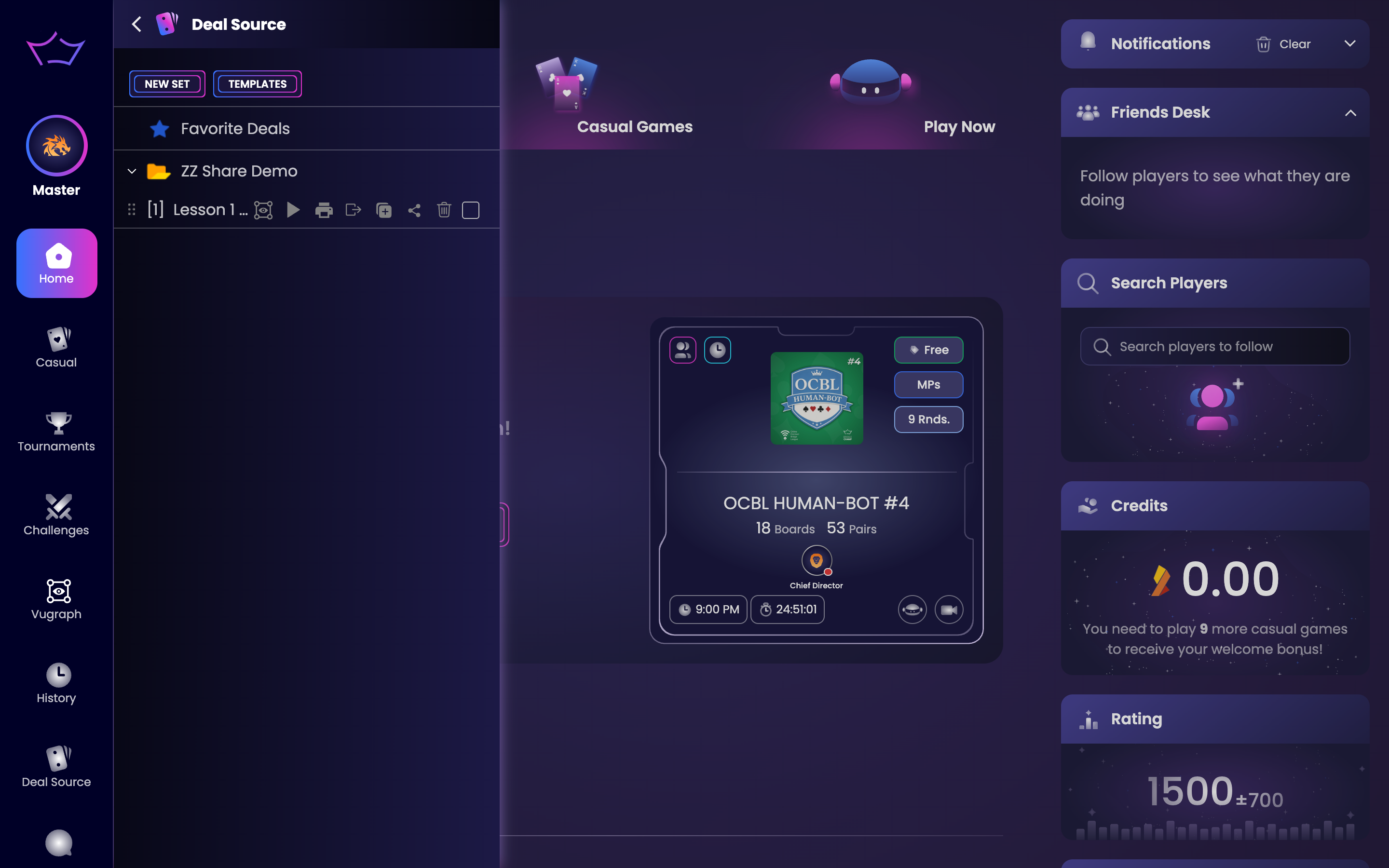
Open Deal Source and the folder that holds the hand. Point at the hand to reveal its actions, including Share.
¶ Step 2: Click Share and choose a student
Click Share, then search for your student by their Bridge Champ username and choose them (they need their own account, and you need their username to find them). You can also choose whether to include the saved positions with the hand.
¶ Step 3: The student receives the hand
The hand is delivered through chat and added to the student’s Deal Source, ready to play or study. You can share the same hand with several students.
💡 Tip: Pair this with Play From Position: save a key moment from a hand, then share it so students continue from exactly that point.
¶ Related guides
- Deal Source: where you share hands from
- Play From Position: share a specific moment
- For Teachers: all teacher guides

Questions or ideas for your bridge classes? Write to us at info@bridgechamp.com.