¶ Sign In With ACBL in the Mobile App
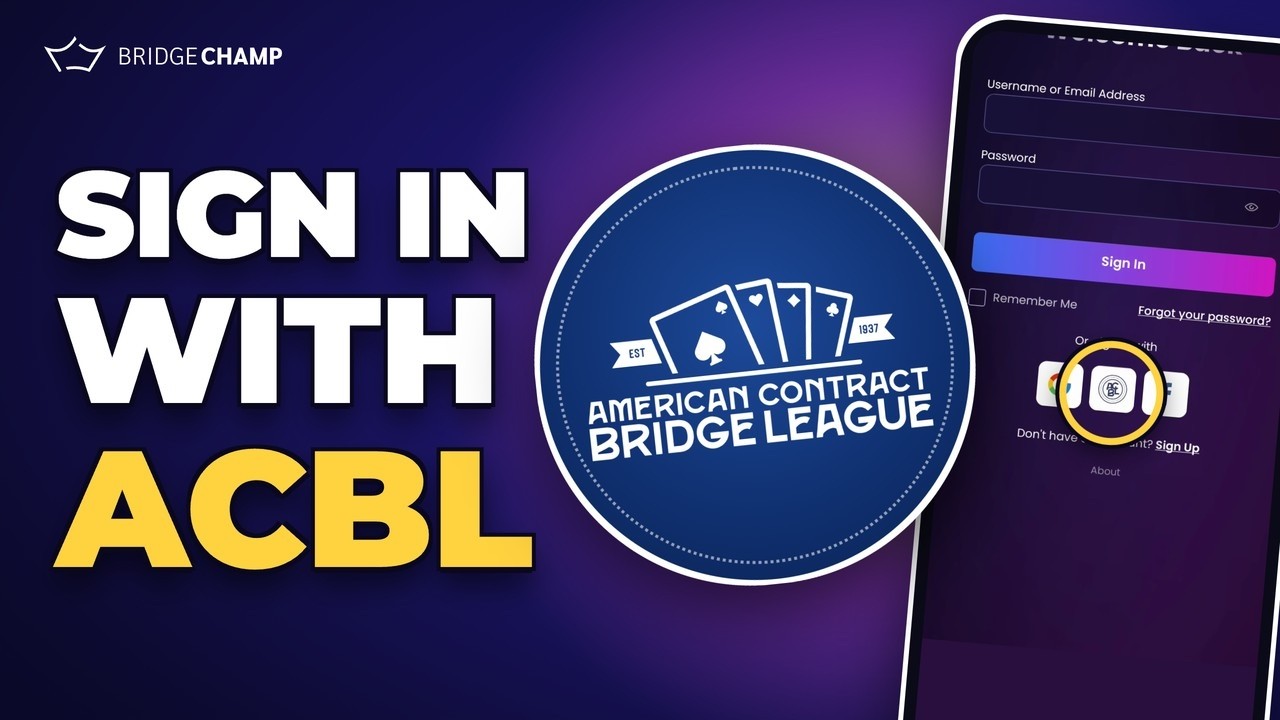
ACBL members can sign in to Bridge Champ with their ACBL member number and password. No new password to remember. You can use it to join Bridge Champ for the first time, or to link ACBL to the Bridge Champ account you already have.
📋 At a glance
What it is: Sign in to Bridge Champ with your ACBL login.
Who it is for: ACBL members, new to Bridge Champ or already playing.
You will need: Your ACBL member number and password, and access to your email.
¶ Overview
When you sign in with ACBL, ACBL shares your name, email address, ACBL number, rank and masterpoints with Bridge Champ. Your ACBL membership then shows in your profile with an Official badge.
There are two cases:
- New to Bridge Champ: you have an ACBL account but no Bridge Champ account.
- Already have both: your Bridge Champ account and your ACBL account use the same email address.
On a computer instead? See the web guide. Back to Sign In With ACBL.
¶ New to Bridge Champ
¶ Step 1: Tap the ACBL logo
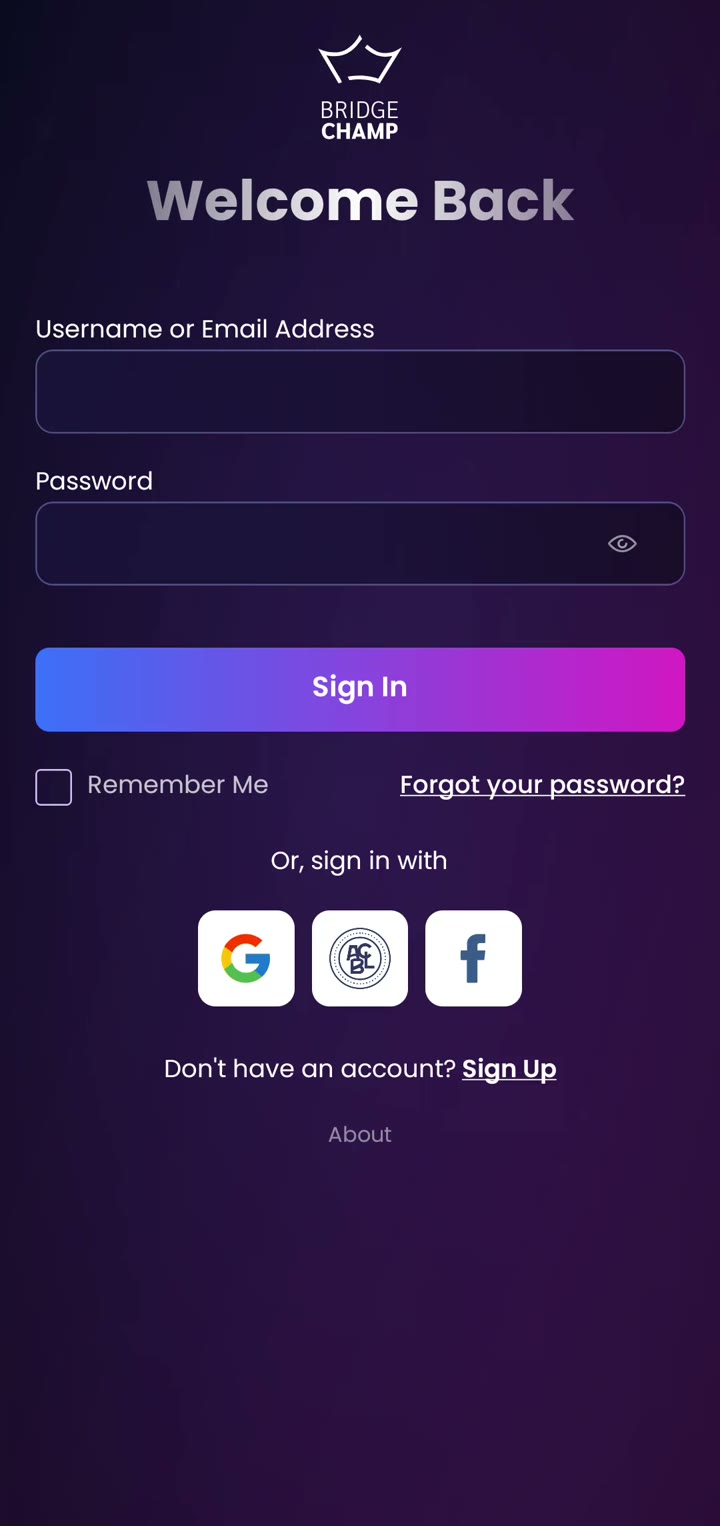
Have your ACBL member number and password ready. Open the Bridge Champ app. On the login screen, under Or, sign in with, tap the ACBL logo.
¶ Step 2: Enter your ACBL member number and password
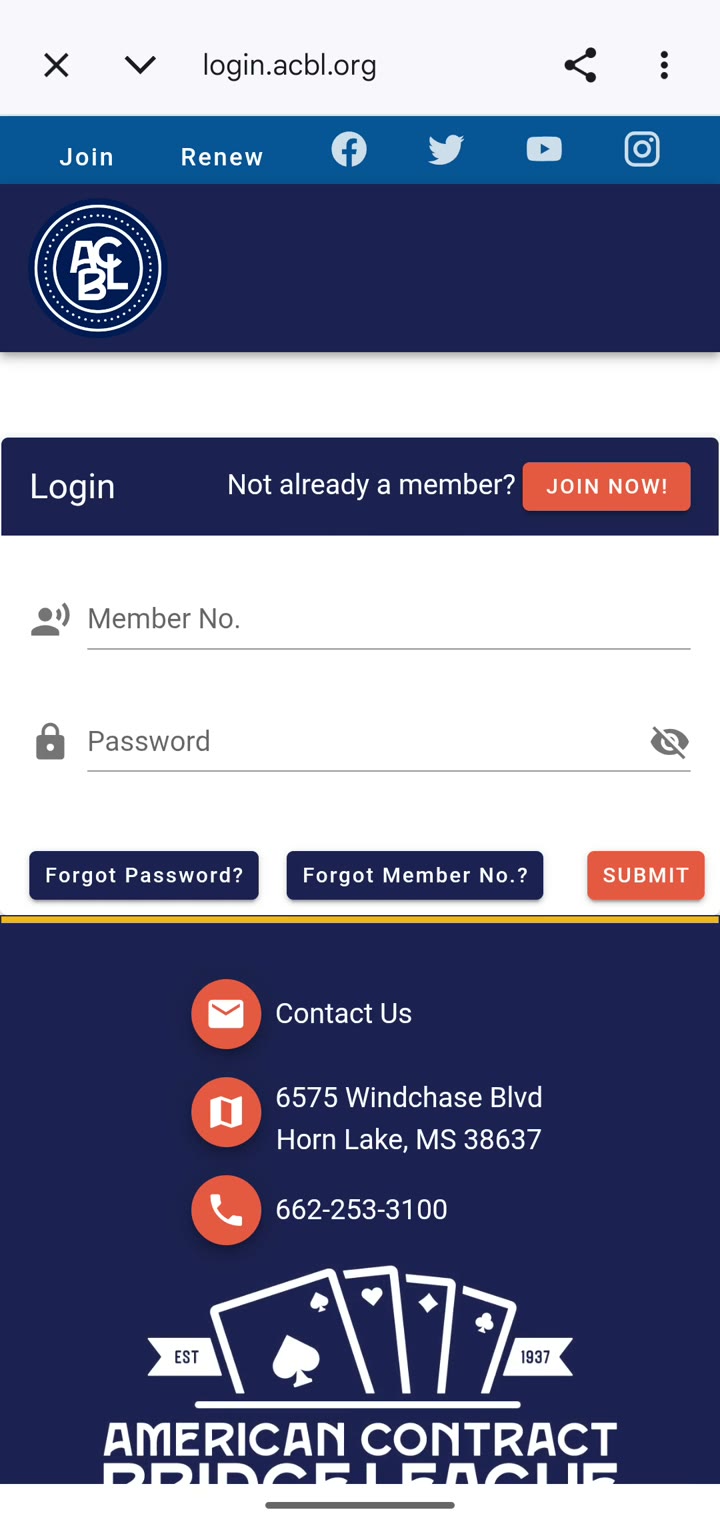
The ACBL login page opens inside the app. Tap Member No. and type your ACBL member number. Tap Password and type your ACBL password. To check what you typed, tap the eye icon. Then tap SUBMIT.
¶ Step 3: Authorize Bridge Champ
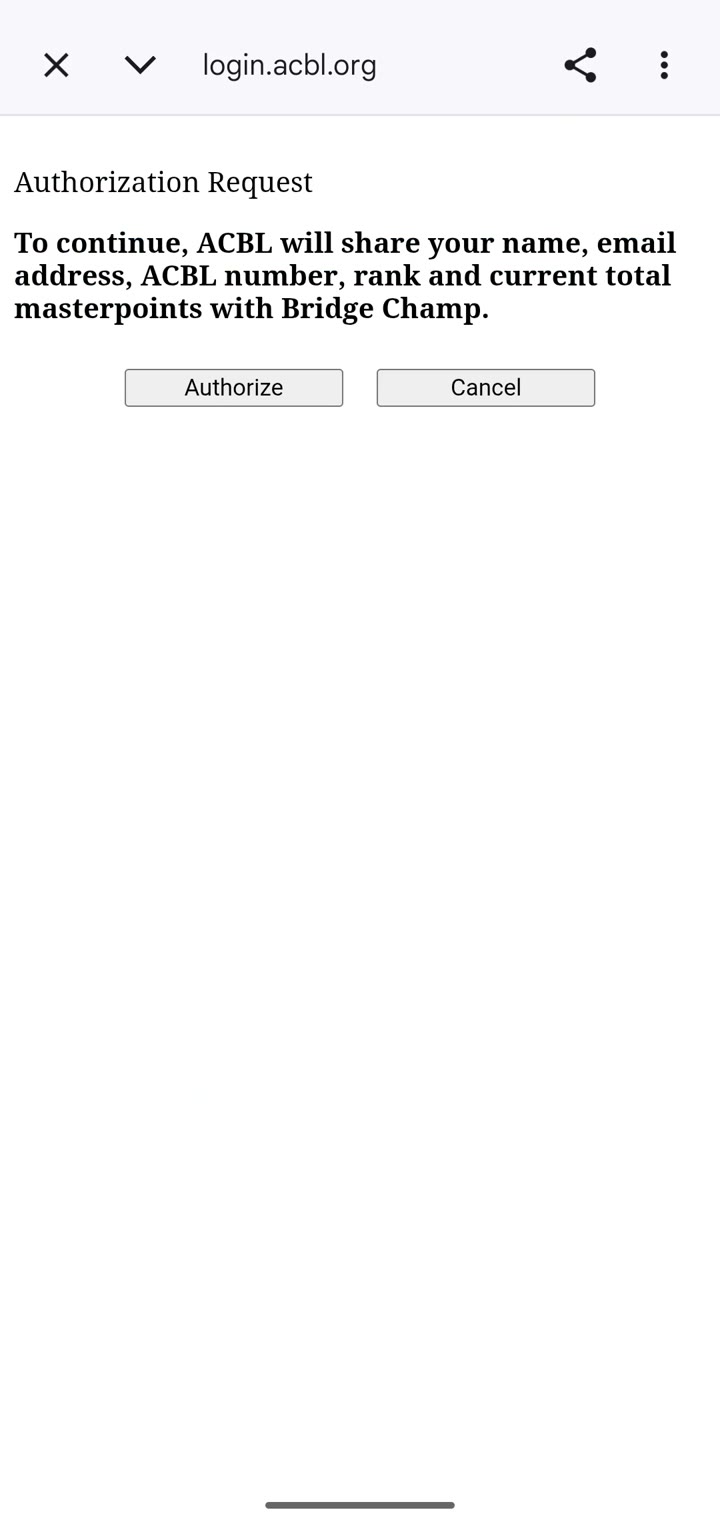
ACBL asks your permission to share your name, email address, ACBL number, rank and masterpoints with Bridge Champ. Tap Authorize.
¶ Step 4: Keep or change your username
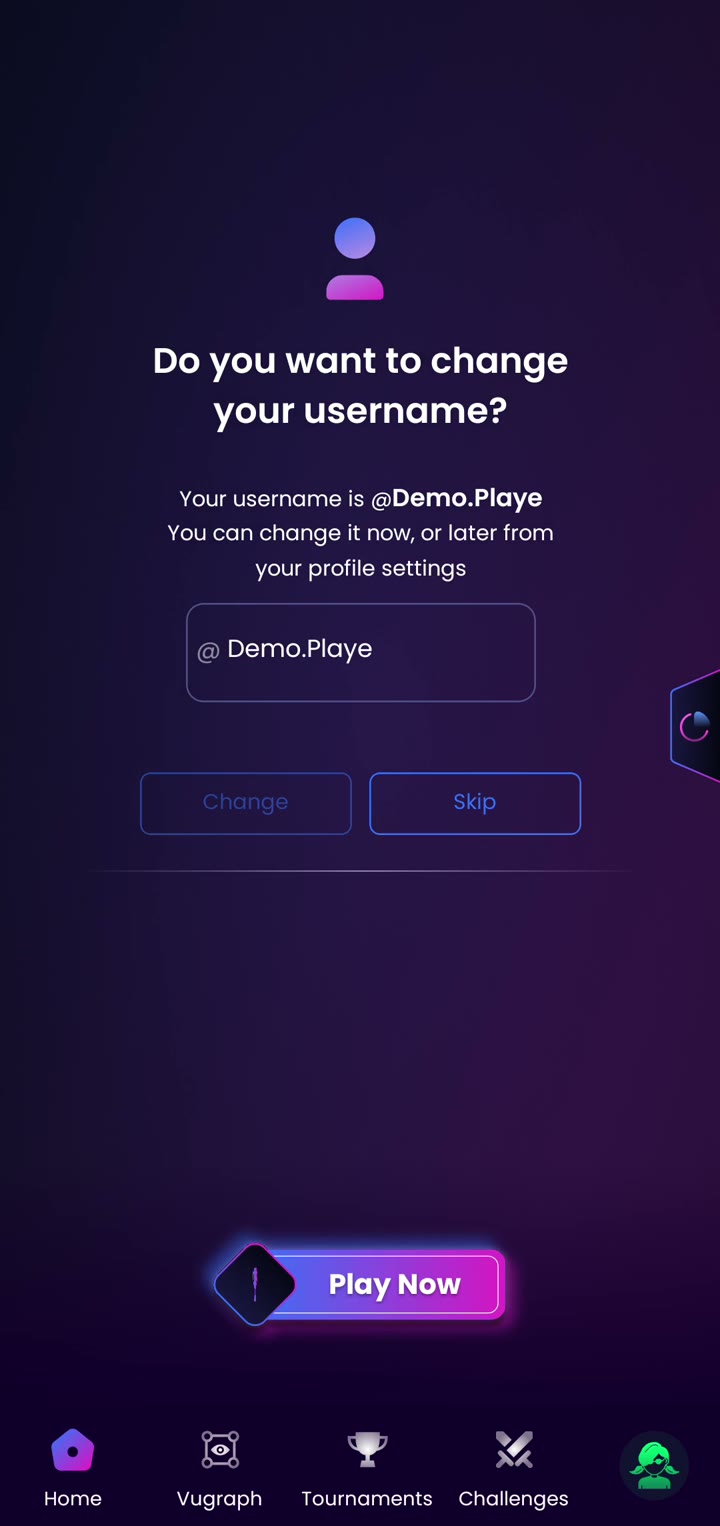
You are taken straight back to the app, already signed in. The first time, a window shows the username we picked for you. Tap Change to choose a new one, or Skip to keep it. You can change it later in your profile.
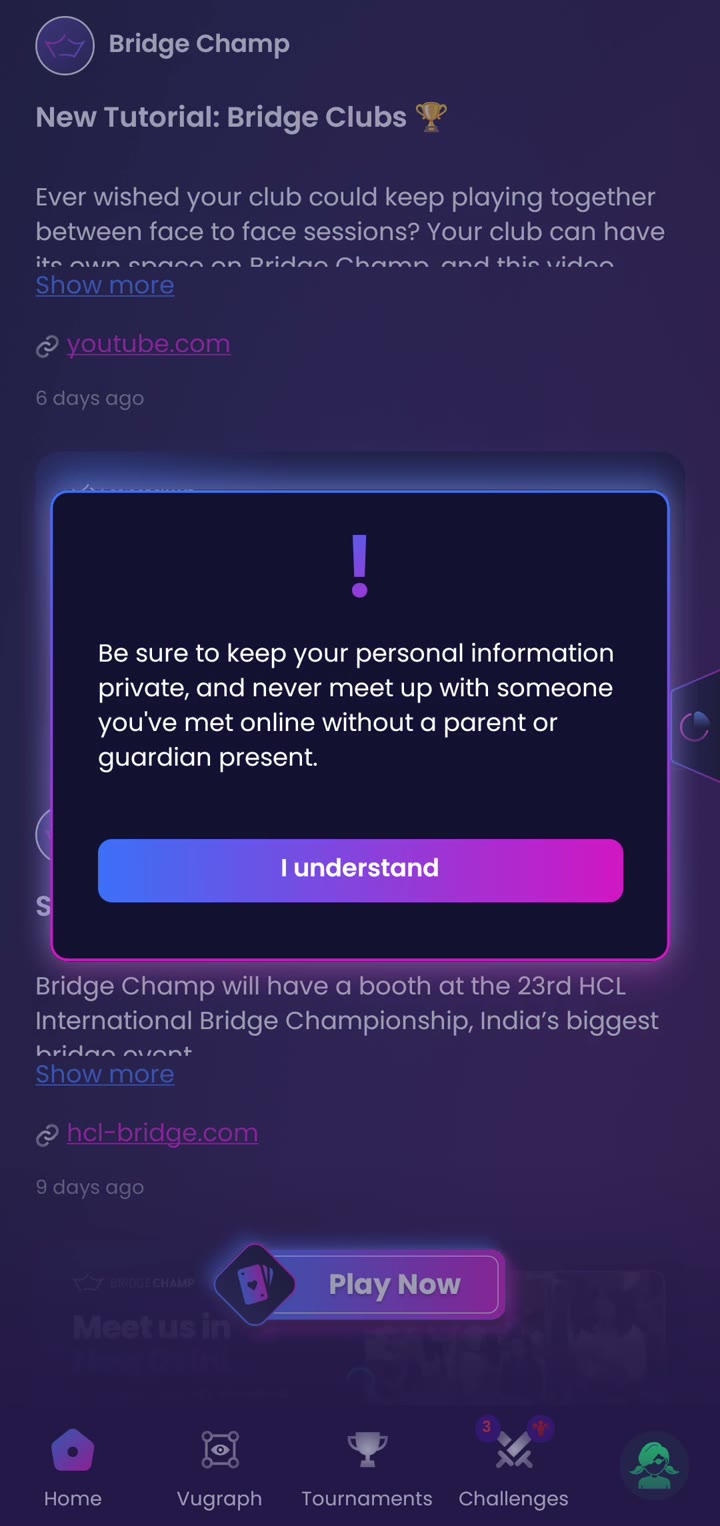
You may also see a short safety reminder. Tap I understand.
¶ Step 5: Check your ACBL membership
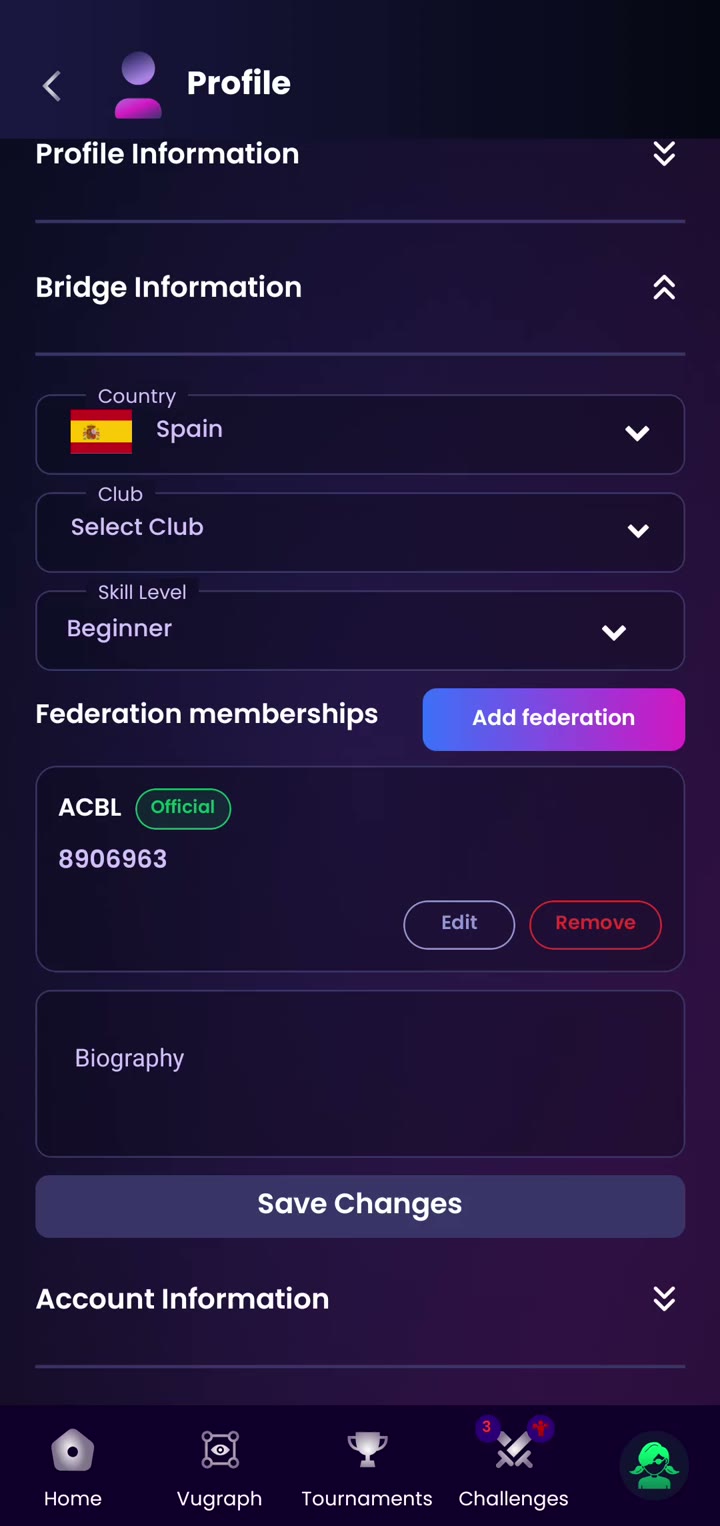
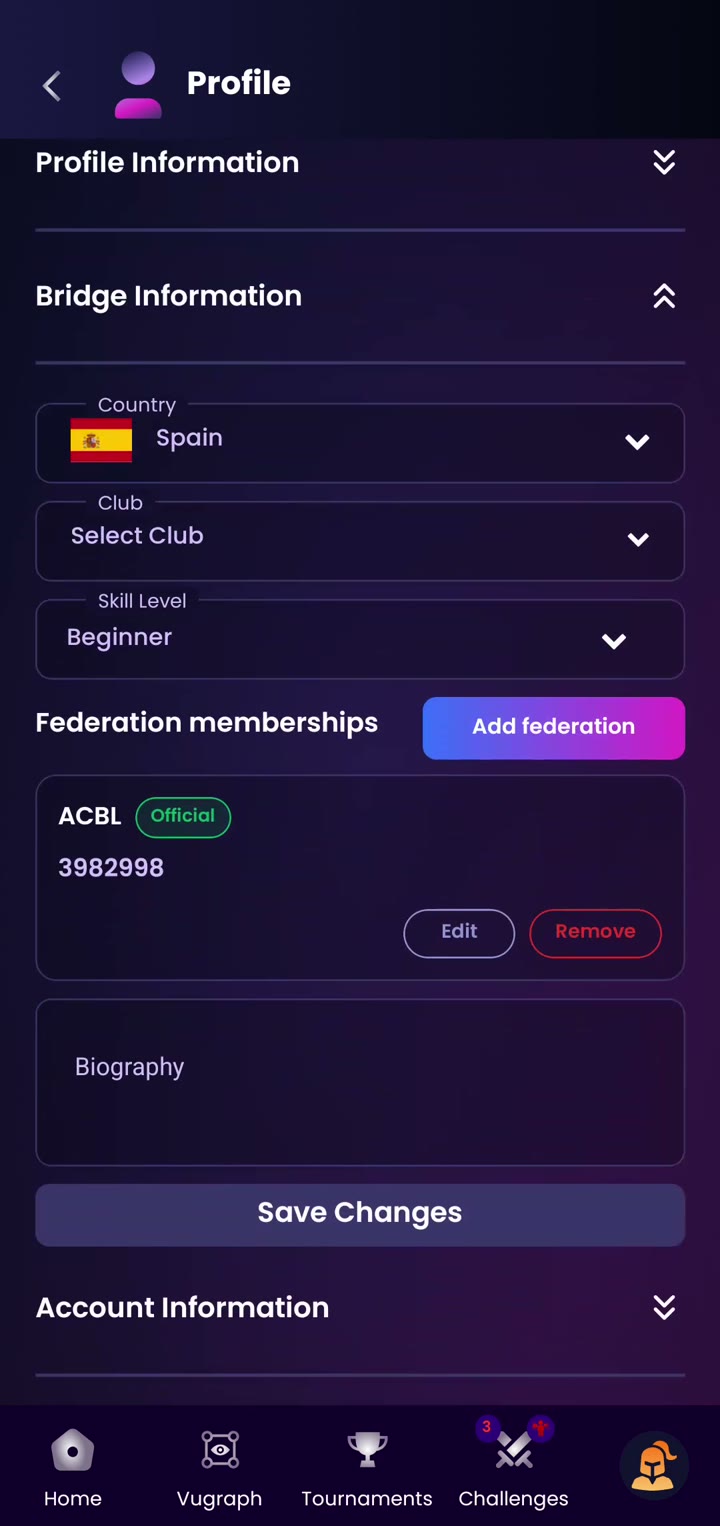
Tap your profile picture in the bottom right corner, then Profile. Open Bridge Information. Under Federation memberships you will see ACBL with an Official badge and your member number.
¶ Step 6: Verify your email address
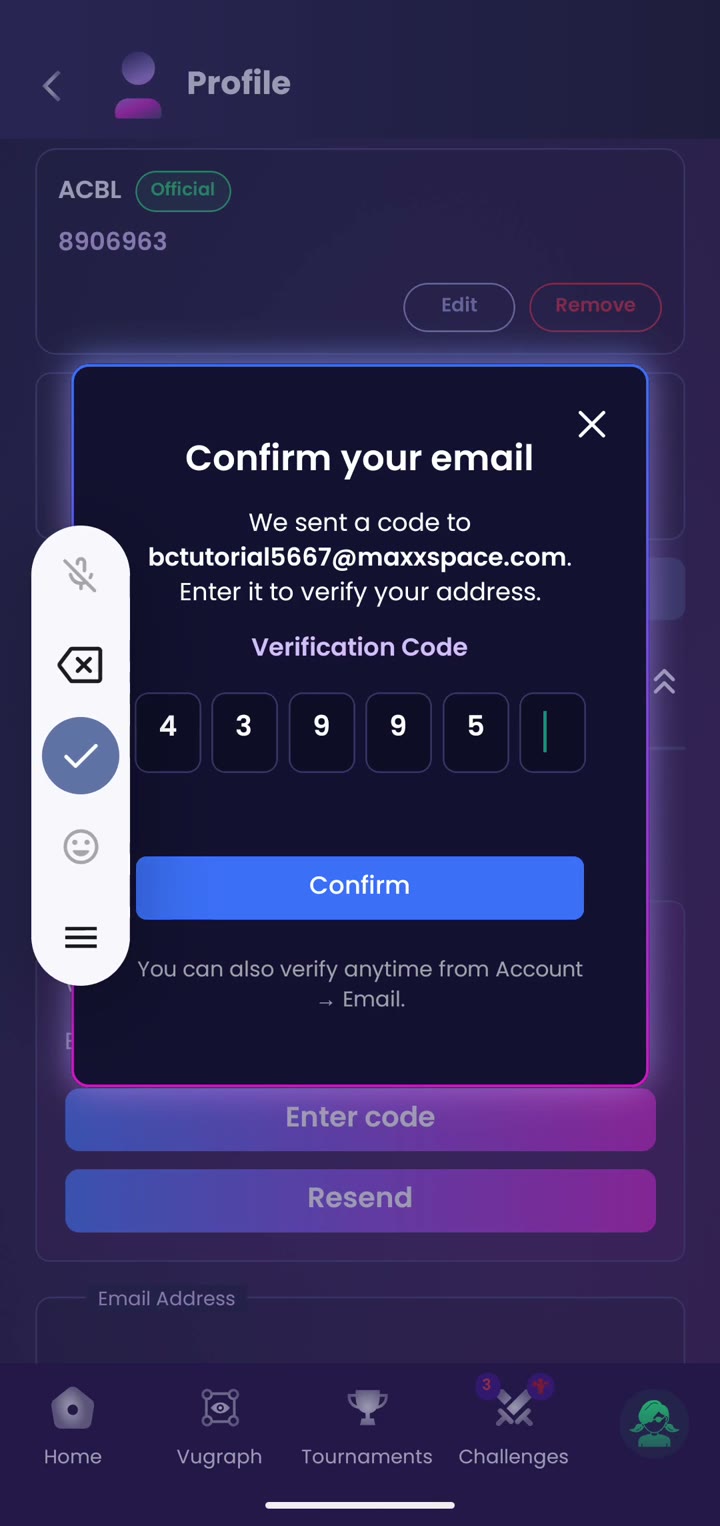
Open Account Information. If your ACBL account has an email address, it shows here as pending verification, and we email you a code.
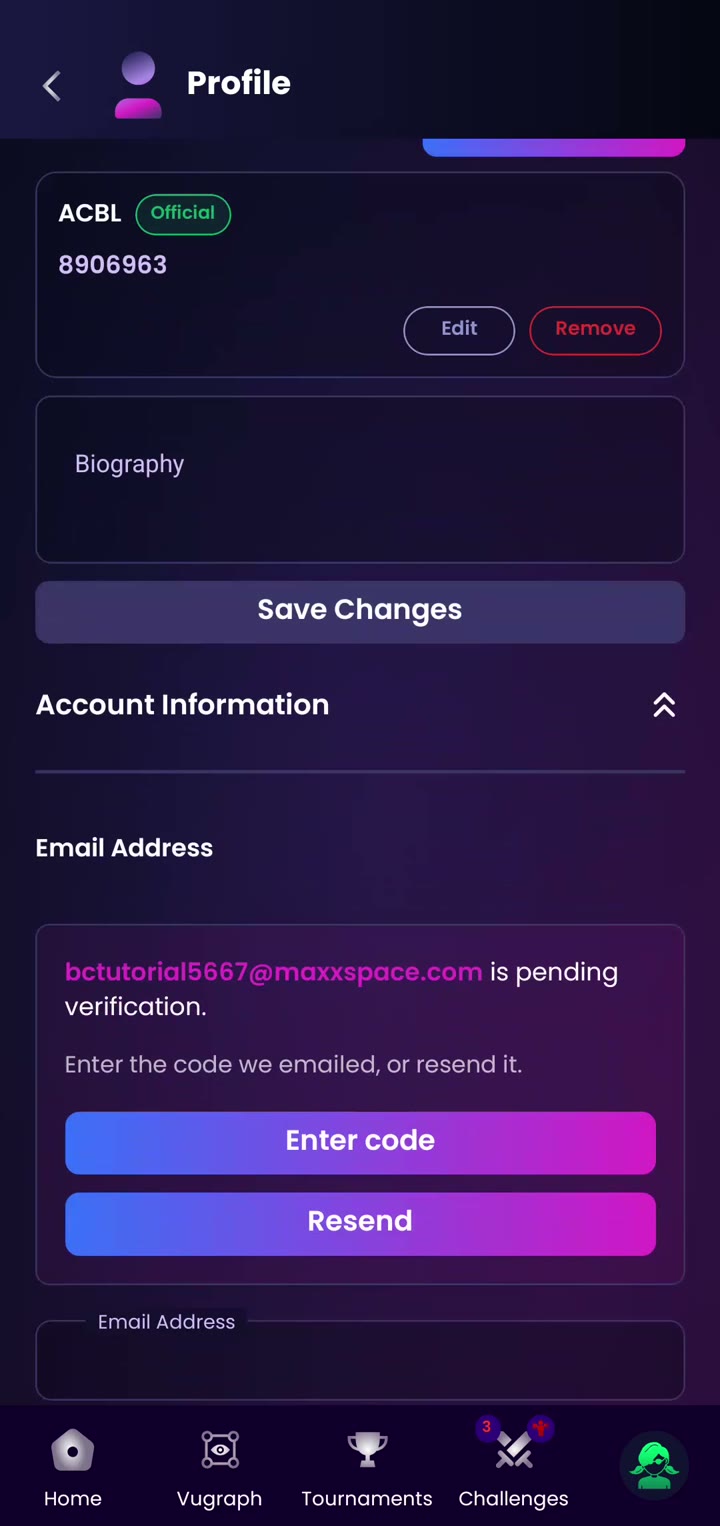
Tap Enter code, type the 6-digit code from the email and tap Confirm. Your email is now verified.
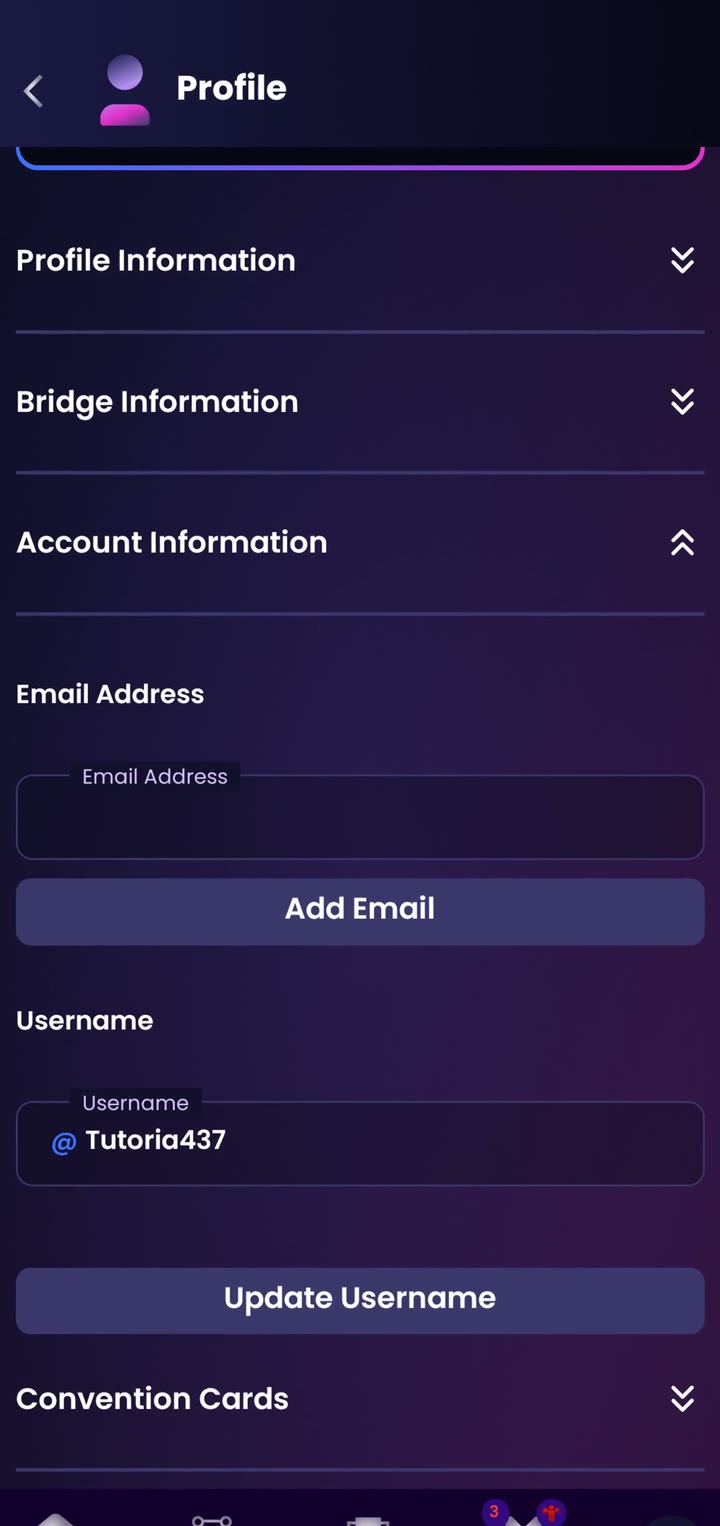
If your ACBL account has no email address, this field is empty. Tap Add Email whenever you want to add one.
¶ Already have both accounts
Use this if you already play on Bridge Champ and your ACBL account uses the same email address.
¶ Step 1: Sign in with ACBL as usual
If you are signed in, tap your profile picture and then Logout. On the login screen, tap the ACBL logo, enter your ACBL member number and password, tap SUBMIT, then tap Authorize (steps 1 to 3 above).
¶ Step 2: Choose: is this your account?
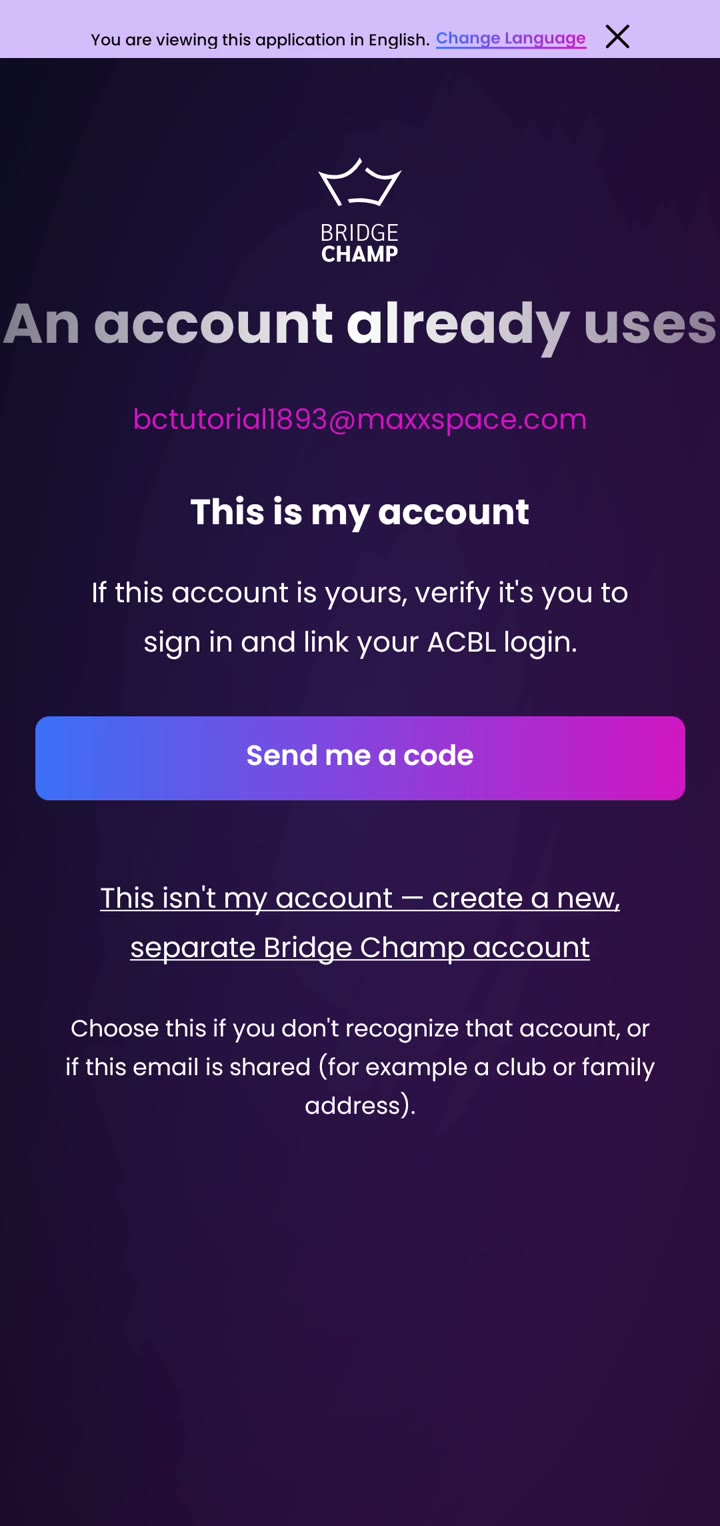
Bridge Champ finds an account with the same email address and shows you that email.
- It is yours: tap Send me a code.
- You don't recognise it, or the email is shared (for example a club or family address): tap This isn't my account.
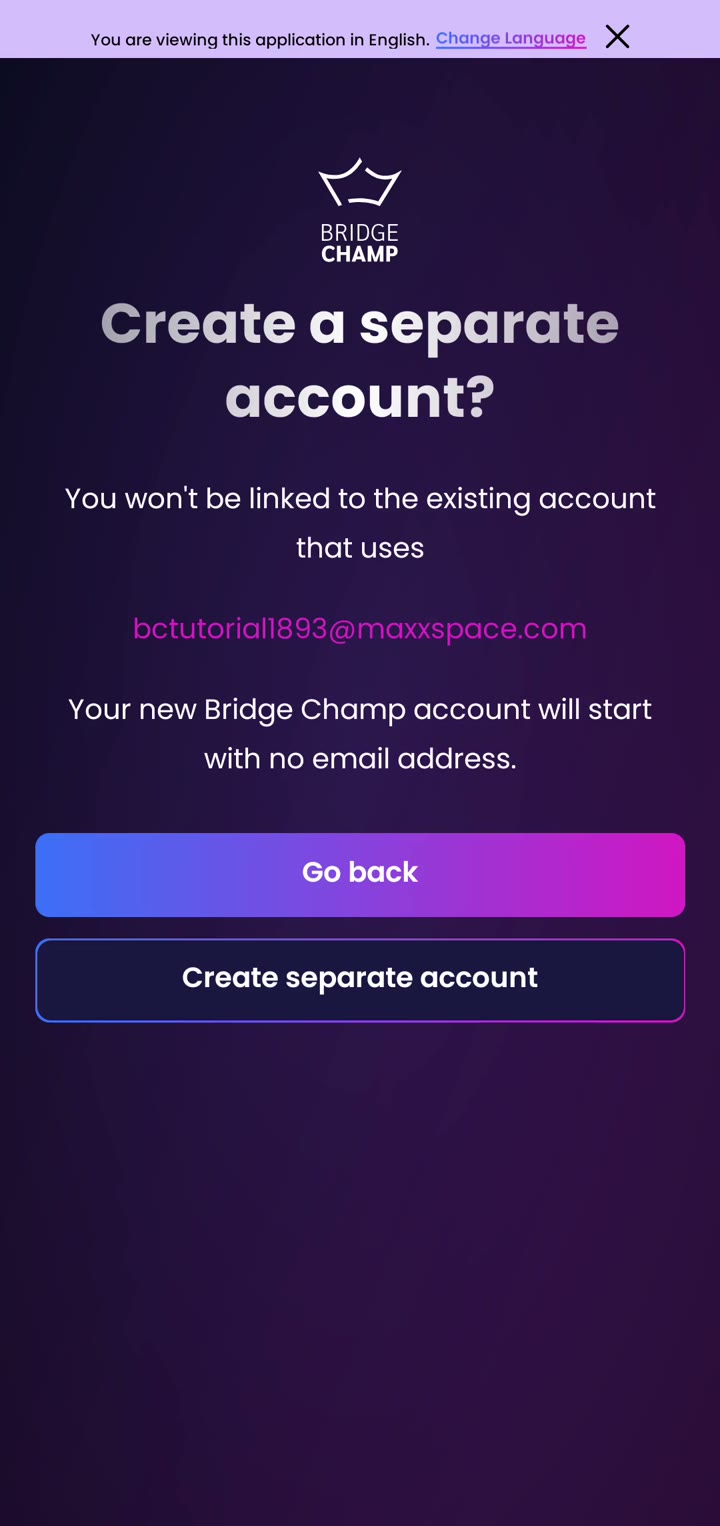
If you tap This isn't my account, a screen explains that your new account will start with no email address. Tap Create separate account to go ahead, or Go back to choose again.
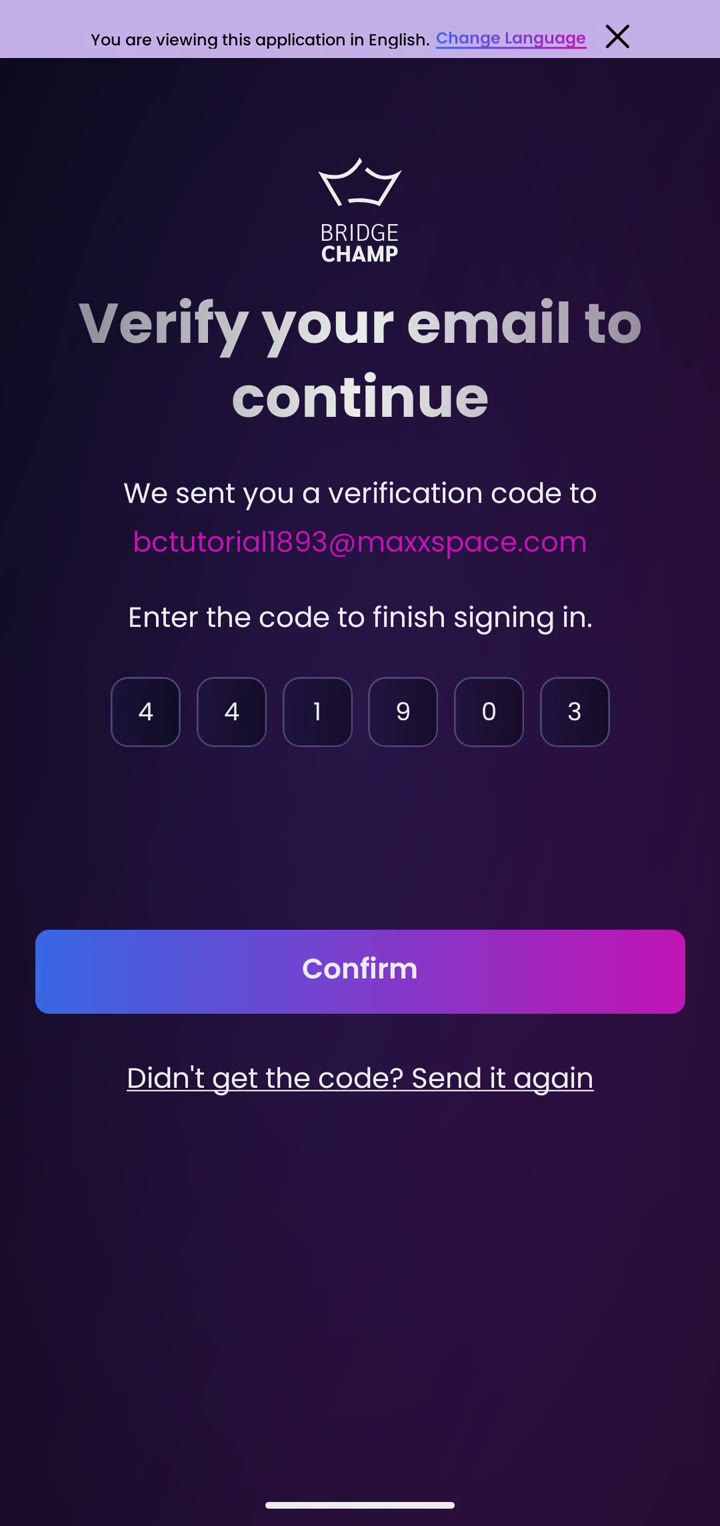
¶ Step 3: Enter the code
Open your email and find the code from Bridge Champ. Type the 6 digits and tap Confirm. You are now signed in to your existing account. If we ask about our newsletter, tap Yes or No.
¶ Step 4: Check the link
Open Profile, then Bridge Information. Your ACBL membership now shows with the Official badge. From now on you can sign in either way: with your Bridge Champ details or with ACBL.
¶ Good to know
- Your account signs in through ACBL and has no Bridge Champ password at first. To also sign in with your username and password, set a password in Profile, Account Information.
- Your ACBL membership details are refreshed automatically every day.
- Forgot your ACBL member number or password? Use Forgot Member No.? or Forgot Password? on the ACBL login page.
¶ Related guides
- Sign In With ACBL: overview
- Sign In With ACBL on the website
- The Bridge Champ mobile app
- How to delete your account
- For Players: all player guides

Trouble signing in with ACBL? Write to us at info@bridgechamp.com.