¶ Sign In With ACBL on the Website
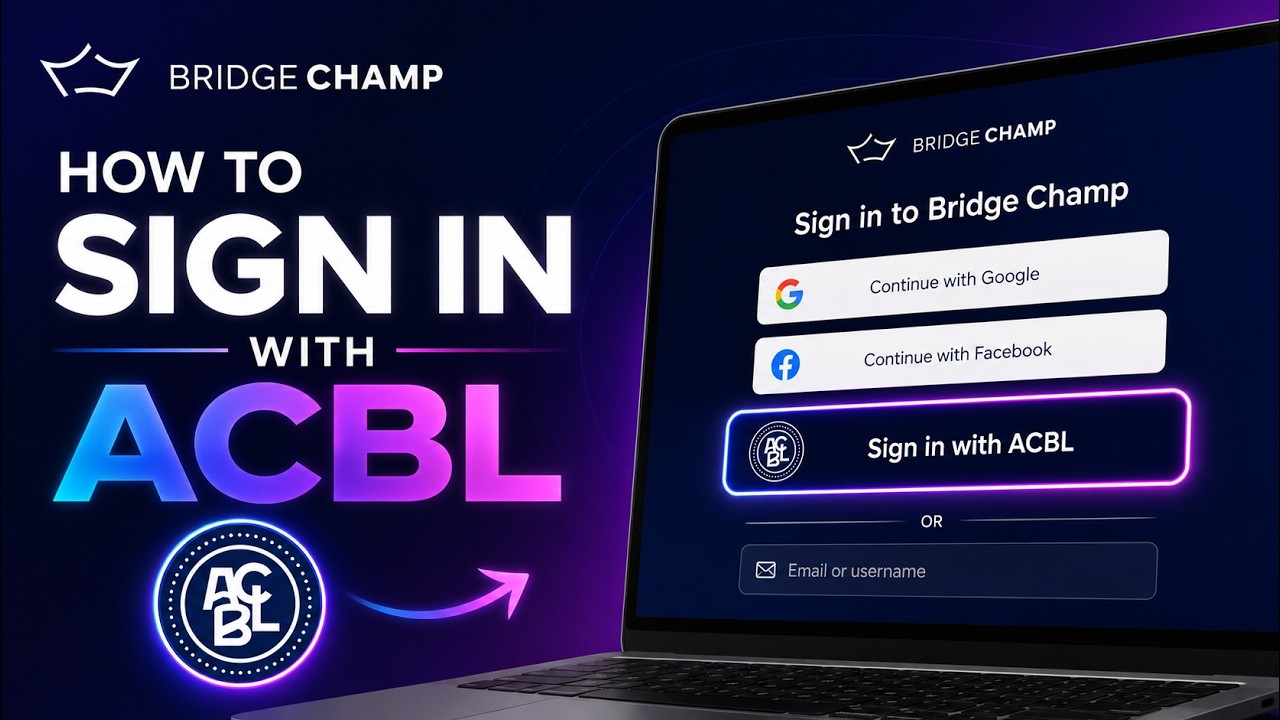
Use your ACBL member number and password to sign in to Bridge Champ in your web browser. Using the app instead? See the mobile app guide.
There are two cases: new to Bridge Champ, or you already have both accounts. Back to Sign In With ACBL.
¶ New to Bridge Champ
¶ Step 1: Open the login page
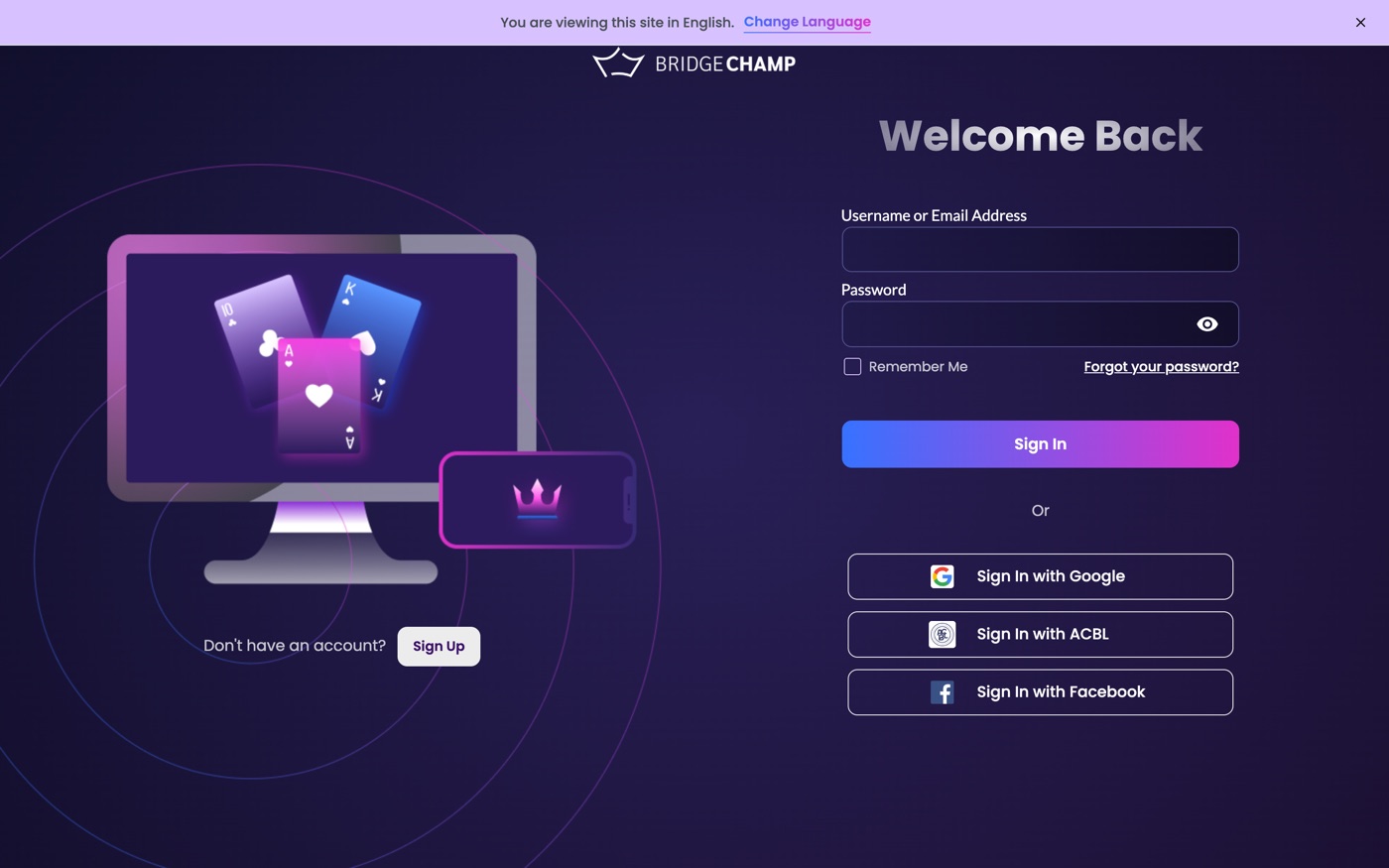
Have your ACBL member number and password ready. Go to bridgechamp.com and click Login in the top right corner.
¶ Step 2: Click Sign In with ACBL
On the login page, click Sign In with ACBL. It is between the Google and Facebook buttons.
¶ Step 3: Enter your ACBL member number and password
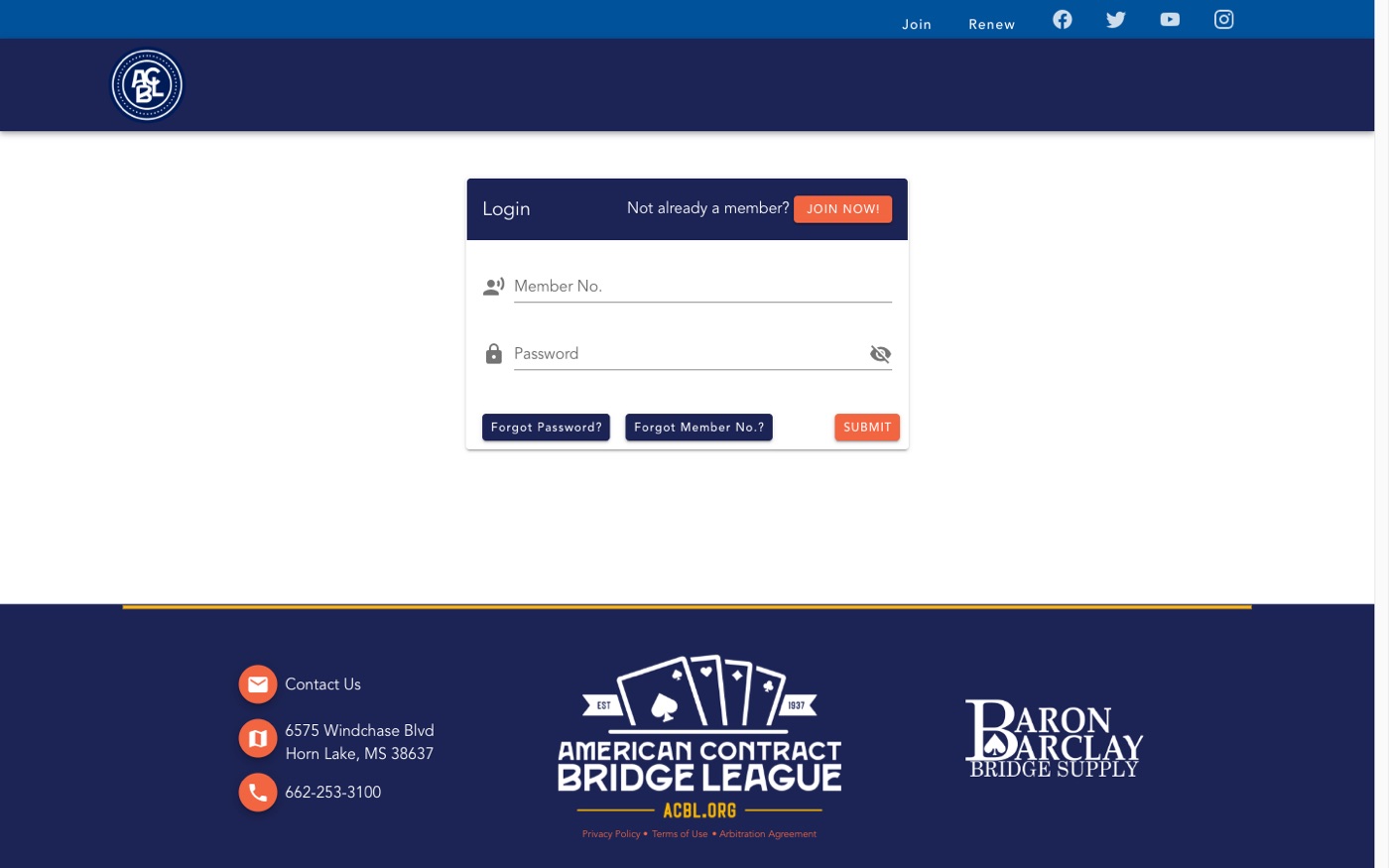
You are taken to the ACBL login page. Type your Member No. and your Password, then click SUBMIT.
¶ Step 4: Authorize Bridge Champ
The first time, ACBL asks your permission to share your name, email address, ACBL number, rank and masterpoints with Bridge Champ. Click Authorize. You are sent back to Bridge Champ, already signed in.
¶ Step 5: Choose your username
The first time, a welcome window asks Do you want to change your username? Type the username you want and click Change, or Skip to keep the one we picked. You can change it later.
¶ Step 6: Verify your email address
We send a code to the email address on your ACBL account. Open your inbox and find the message from Bridge Champ. In the Confirm your email window, type the 6-digit code and click Confirm. You are ready to play.
¶ Already have both accounts
Use this if you already play on Bridge Champ and your ACBL account uses the same email address.
¶ Step 1: Sign in with ACBL as usual
If you are signed in, sign out first. On the login page click Sign In with ACBL, enter your ACBL member number and password, click SUBMIT, then Authorize (steps 2 to 4 above).
¶ Step 2: Choose: is this your account?
Bridge Champ finds an account with the same email address and shows you that email.
- It is yours: click Send me a code.
- You don't recognise it, or the email is shared (for example a club or family address): click This isn't my account to create a new, separate Bridge Champ account. It starts with no email address.
¶ Step 3: Enter the code
Open your inbox and find the code from Bridge Champ. On the Verify your email to continue page, type the 6 digits and click Confirm. Your two accounts are now linked: sign in with your Bridge Champ details or with ACBL, whichever you like.
¶ Related guides

Trouble signing in with ACBL? Write to us at info@bridgechamp.com.