¶ Challenges on Bridge Champ

¶ Challenges
¶ What Are Challenges?
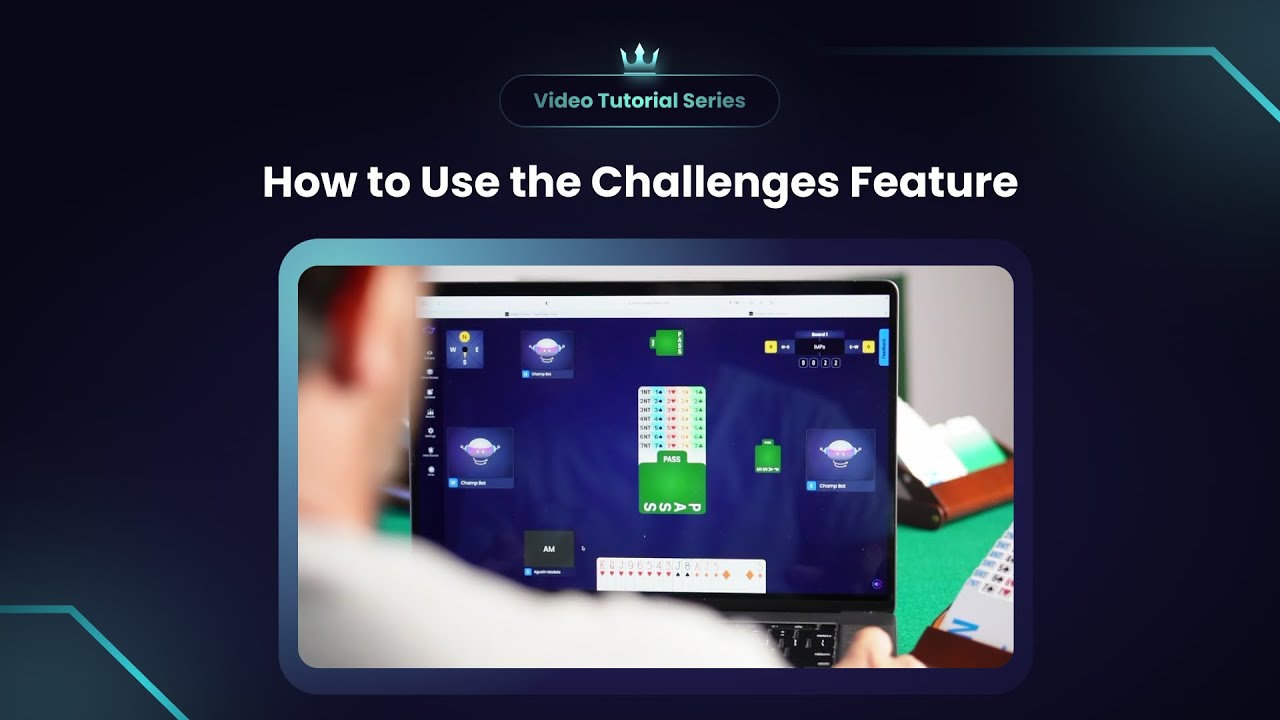
Challenges are a fun and competitive way to play on Bridge Champ. They let you face other players, groups, or bots using the same set of random boards. You always play as South, with bots filling the remaining seats.
¶ Key Features:
- Flexible Participation: Join, pause, and resume any time before the challenge ends (72 hours by default, or the end time the creator set).
- Fair Play: Everyone pays the same entry fee; winnings are distributed after a small platform fee.
- Automatic Results: Challenges end when all players finish or the time limit expires. When you finish your last board you go straight to the results.
- Instant or Scheduled Matches: Bot challenges start immediately. Player and group challenges start after acceptance.
- Registration Period: You have 48 hours to join before a challenge begins.
If a player doesn’t complete all boards before the challenge ends, they lose, no matter how well they performed on earlier boards.
¶ Types of Challenges
¶ 1. Challenge a Player
- Select a specific player to challenge.
- The invited player has 12 hours to accept.
- Once accepted, both must finish all boards before the challenge ends.
- Play doesn’t start automatically, go to the Challenges page to begin.
- The winner gets the prize pool (minus platform fee).
- If declined or not accepted within 12 hours, the challenge is canceled and fees refunded.
¶ 2. Challenge a Group
- Invite two or more players.
- The challenge starts when at least one player accepts.
- The creator sets how rewards are divided.
- Open for 48 hours to accept.
- If all invited players decline, it's canceled and refunded.
¶ 3. Challenge a Bot
- Instantly play against a bot, no waiting.
¶ How to Create a Challenge
¶ Step 1: Start a New Challenge
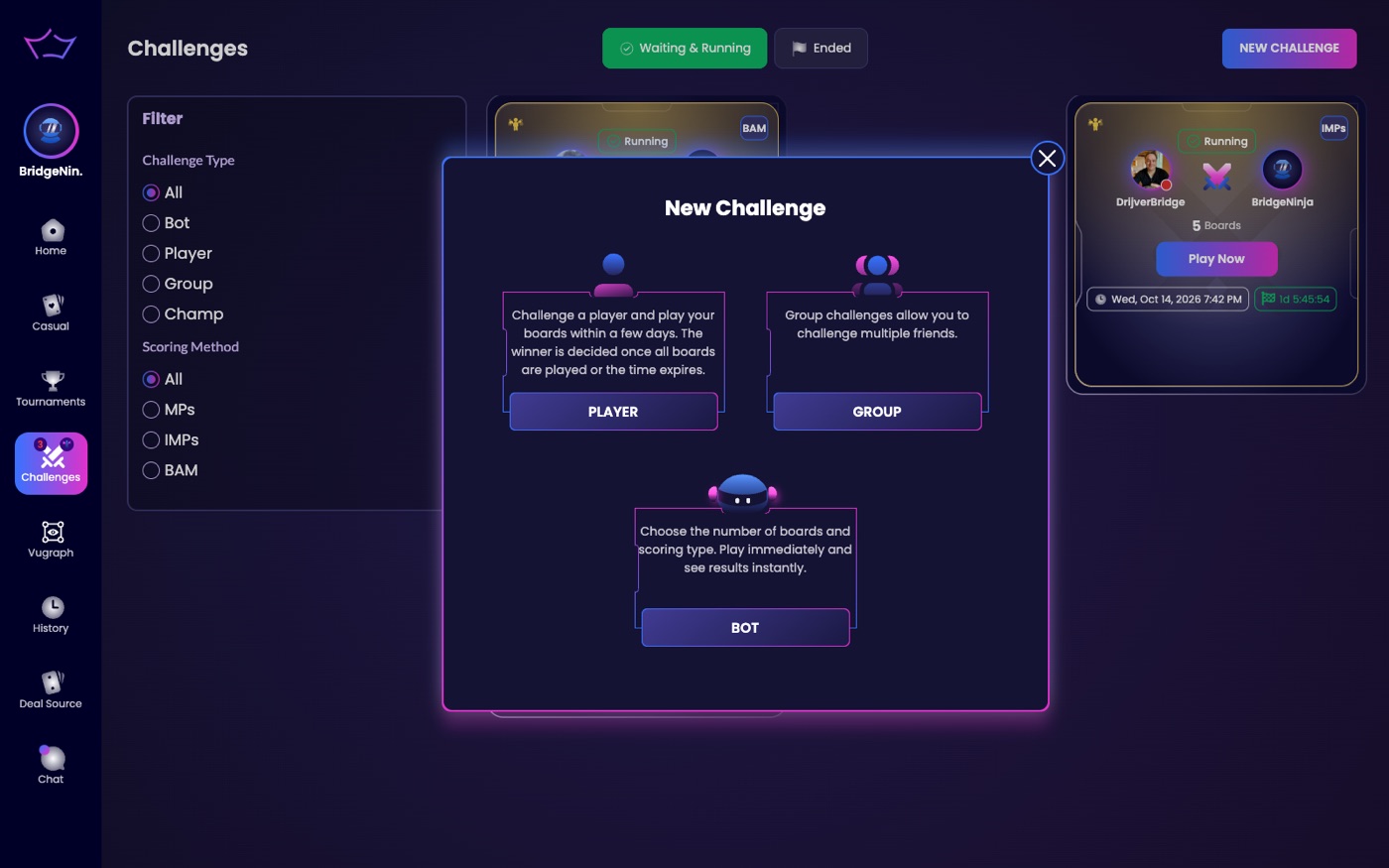
- Go to the Challenges page.
- Click New Challenge at the top right.
¶ Step 2: Choose a Type
- Player Challenge: Invite one player.
- Group Challenge: Invite multiple players.
- Bot Challenge: Start instantly.
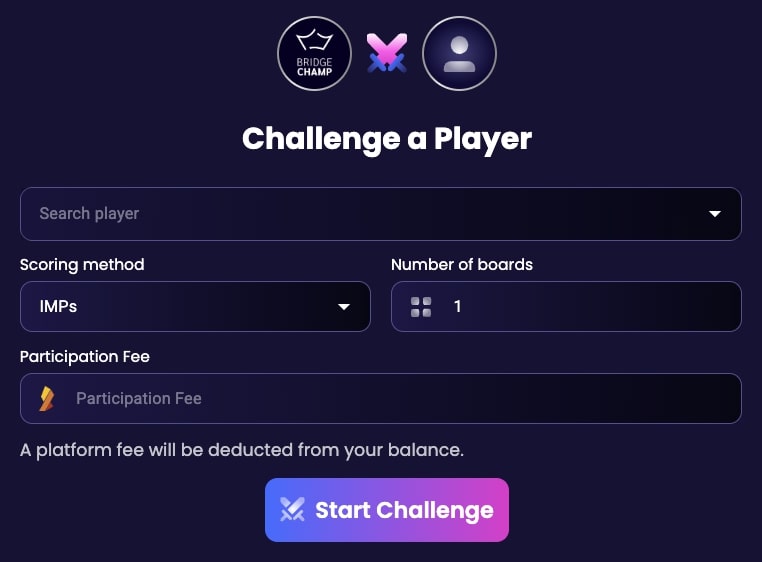
¶ Step 3: Set Details
- Scoring: Choose Match Points (MPs) or International Match Points (IMPs).
- Boards: Select how many will be played.
- Fee: Set the entry cost (e.g., 10 credits).
- Best Hand: Ensure the player gets the hand with the most High Card Points (HCP).
- End time: optional, so the challenge closes on the day and time you choose (see Setting when a challenge ends below).
- Click Start Challenge to create it.
¶ Step 4: Play
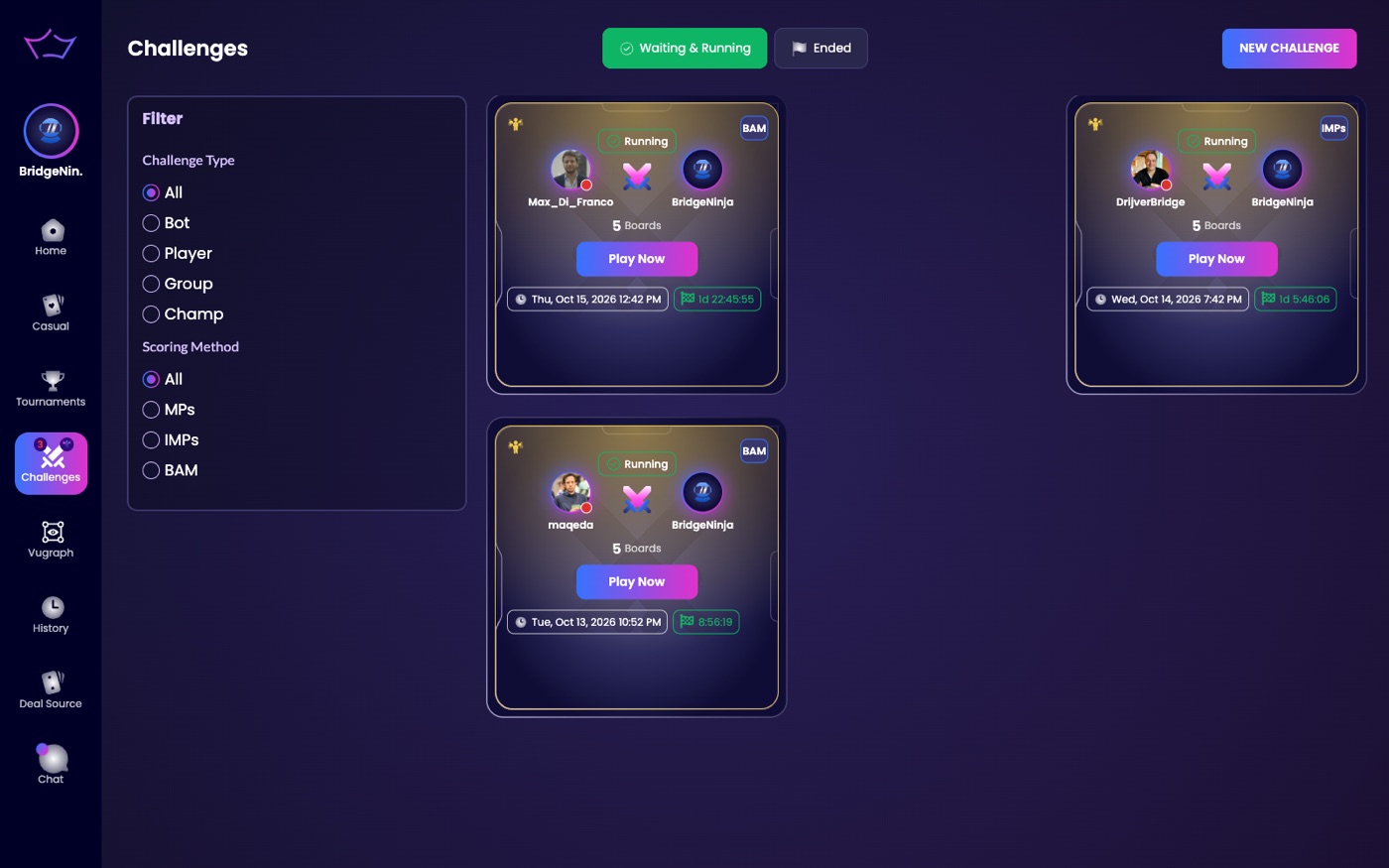
- Your challenge will appear on the Challenges screen.
- Click Play Now to begin. Once you have started, the button says Continue.
- If it’s pending, its status will be Waiting.
¶ Navigating the Challenges Screen
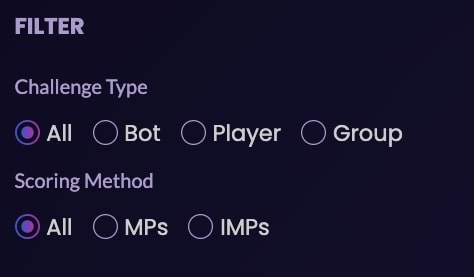
¶ Filters
Use filters to sort challenges by:
- Type: All, Bot, Player, Group
- Scoring: All, MPs, IMPs
¶ Status Buttons
Filter challenges at the top of the page by status:
- Waiting & Running – Active or pending
- Ended – Completed
- All – Show everything

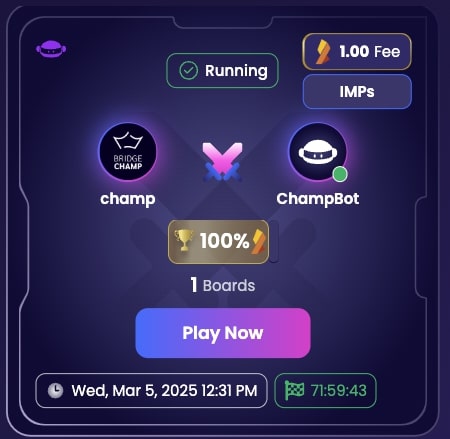
¶ Challenge Info
- Participants (e.g., You vs. ChampBot)
- Scoring method, number of boards, and entry fee
- Timer showing time remaining
¶ Challenge Results & Rewards
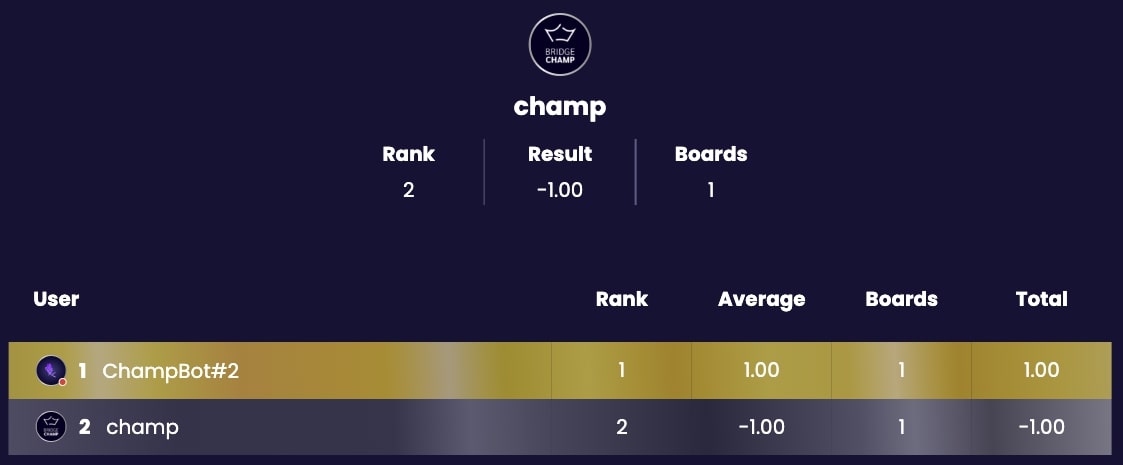
- Once complete, scores appear on the Results Screen.
- Credits are added to your Wallet.
- You can review board-by-board duplicate results.
- If canceled (e.g., no players joined), fees are refunded.
¶ Setting when a challenge ends
When you create a challenge you can also give it an end time, so it closes on the day and time you choose instead of running on.
¶ Playing on, scores and rematches
- Once you have started a challenge, its button reads Continue instead of Play Now.
- At the end of each hand a My Score button lets you review the hand before moving on.
- When you finish your last board you go straight to the results.
- Rematch repeats a challenge exactly, same boards and settings.
- A History button shows every challenge you have played against that player, so you can see your head-to-head record.
- When you compare a board with one other player, you see the difference between your two scores, not each score against the whole field.
- A shared result opened before the challenge ends tells you when the results will be available.
- In the mobile app, tap a player's picture on the Challenges page to follow them, chat with them or open their profile.
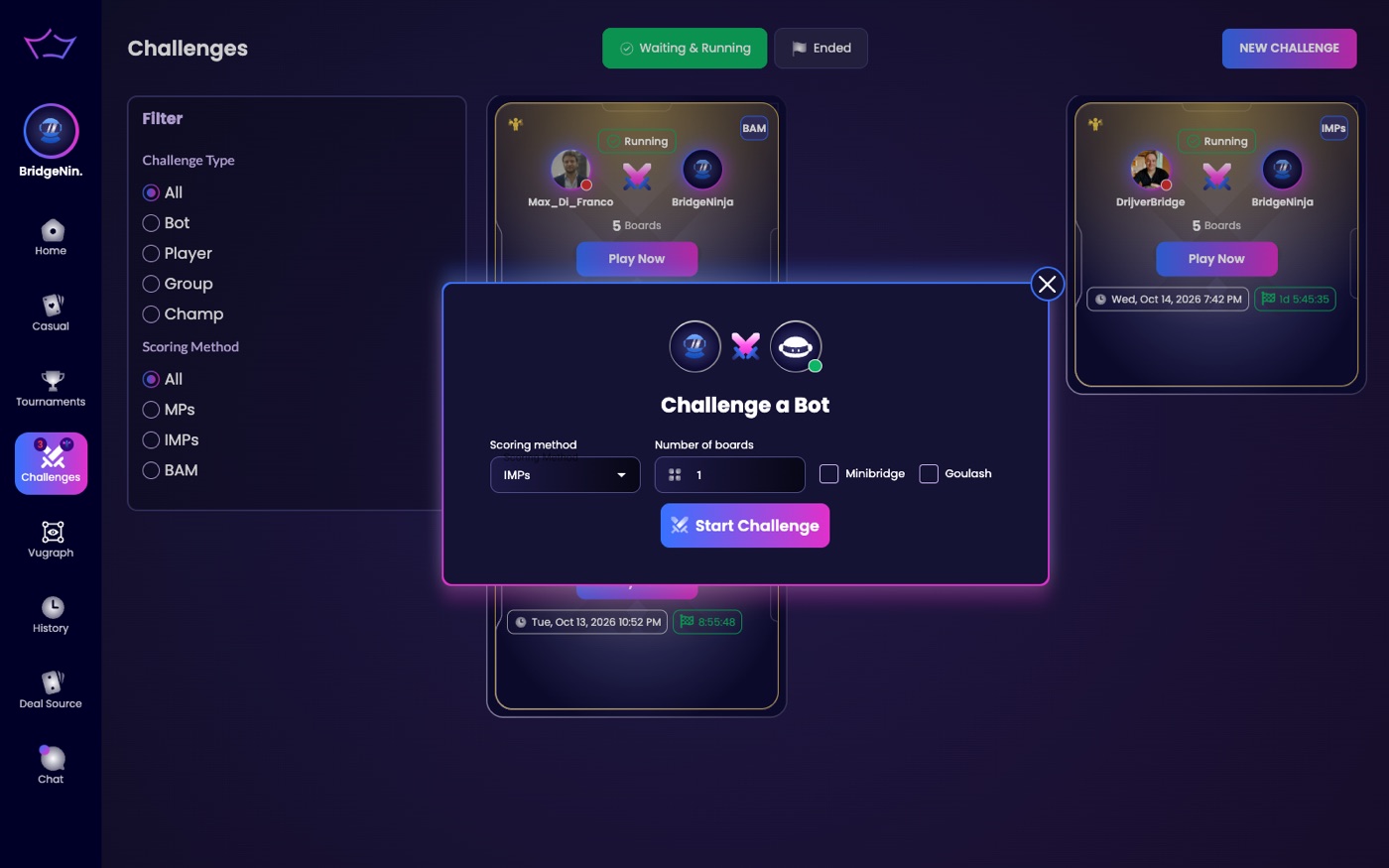
A bot challenge asks for the scoring method, the number of boards, and whether to play Minibridge or Goulash hands.
¶ Ready to Play?
Start a challenge and test your skills against friends, bots, or groups. Good luck and have fun!